
Physical Edge Installation
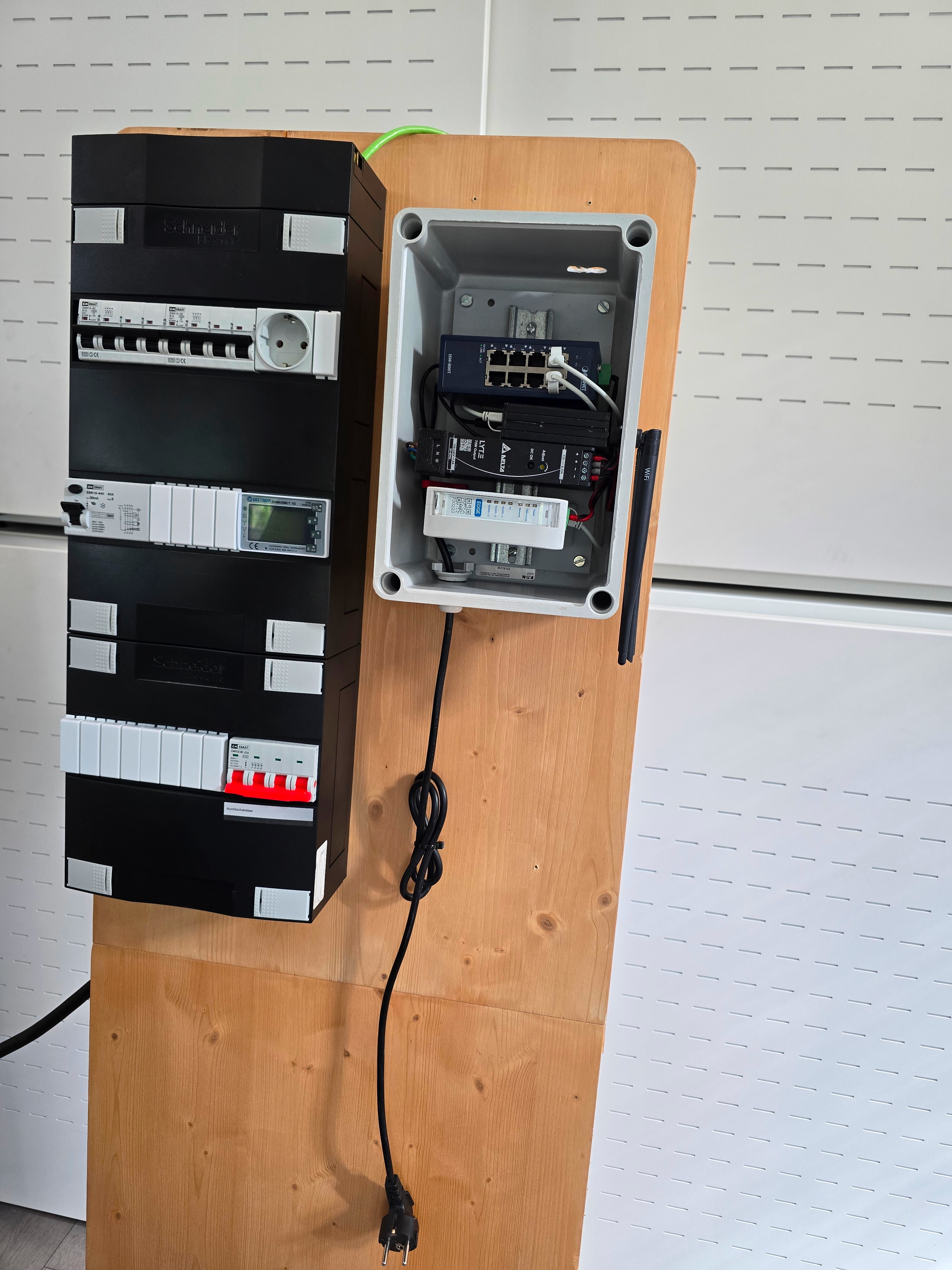
This Guide assumes the installation of the Plug&Play set, where Edge comes in a box with all network equipment (power supply, switch, mobile GSM) already installed
Installing edge in an existing network or using your own network equipment is also possible, in that case refer to the installation diagrams at the bottom of this page
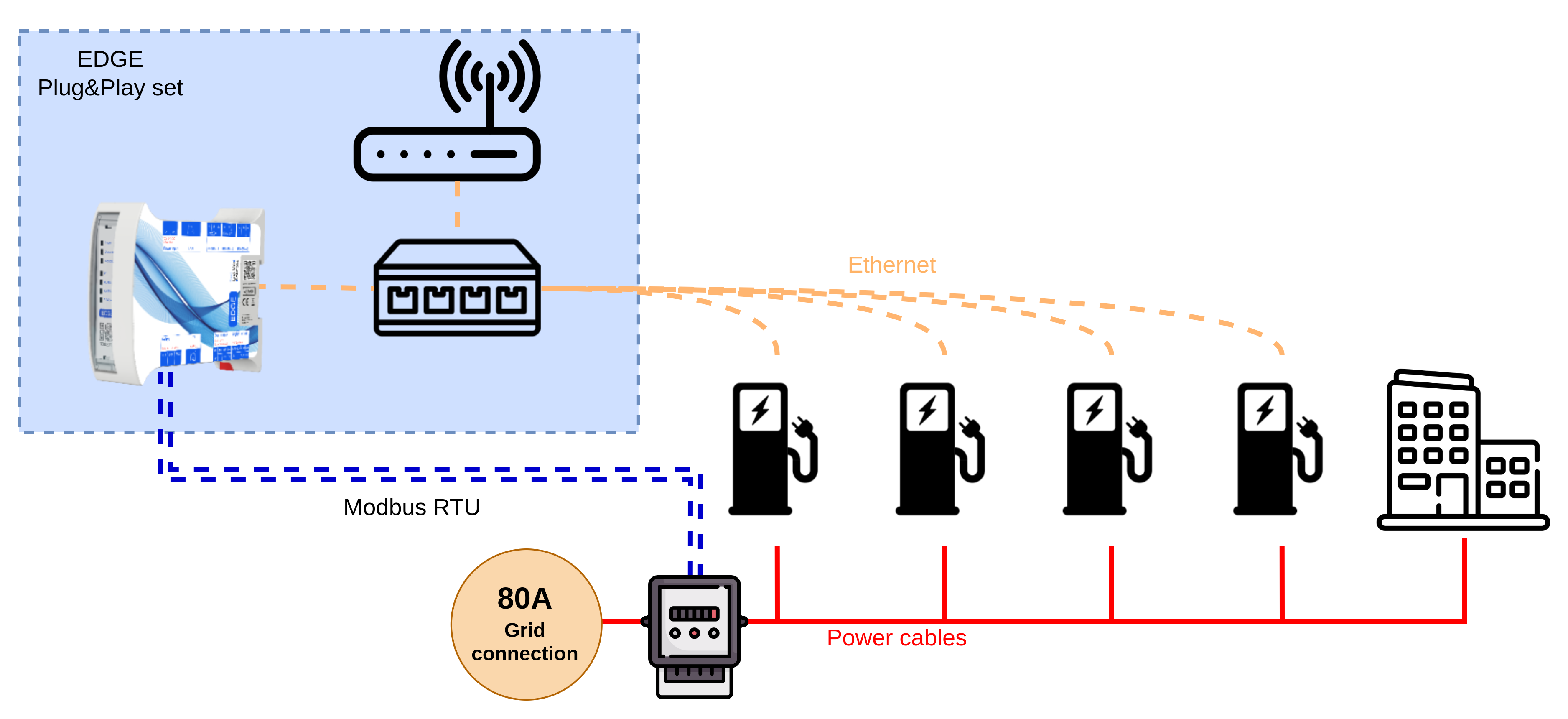
In this example an Edge is installed and connected to the main energy meter. There are 4 chargepoints and a building that can together use not more than 80 Amps. The following diagram visualizes this installation
Note that the use of an energymeter is fully optional if only the chargepoints are connected to this grid. Because this example includes also an office building the use of an energy meter is mandatory.
Preparation
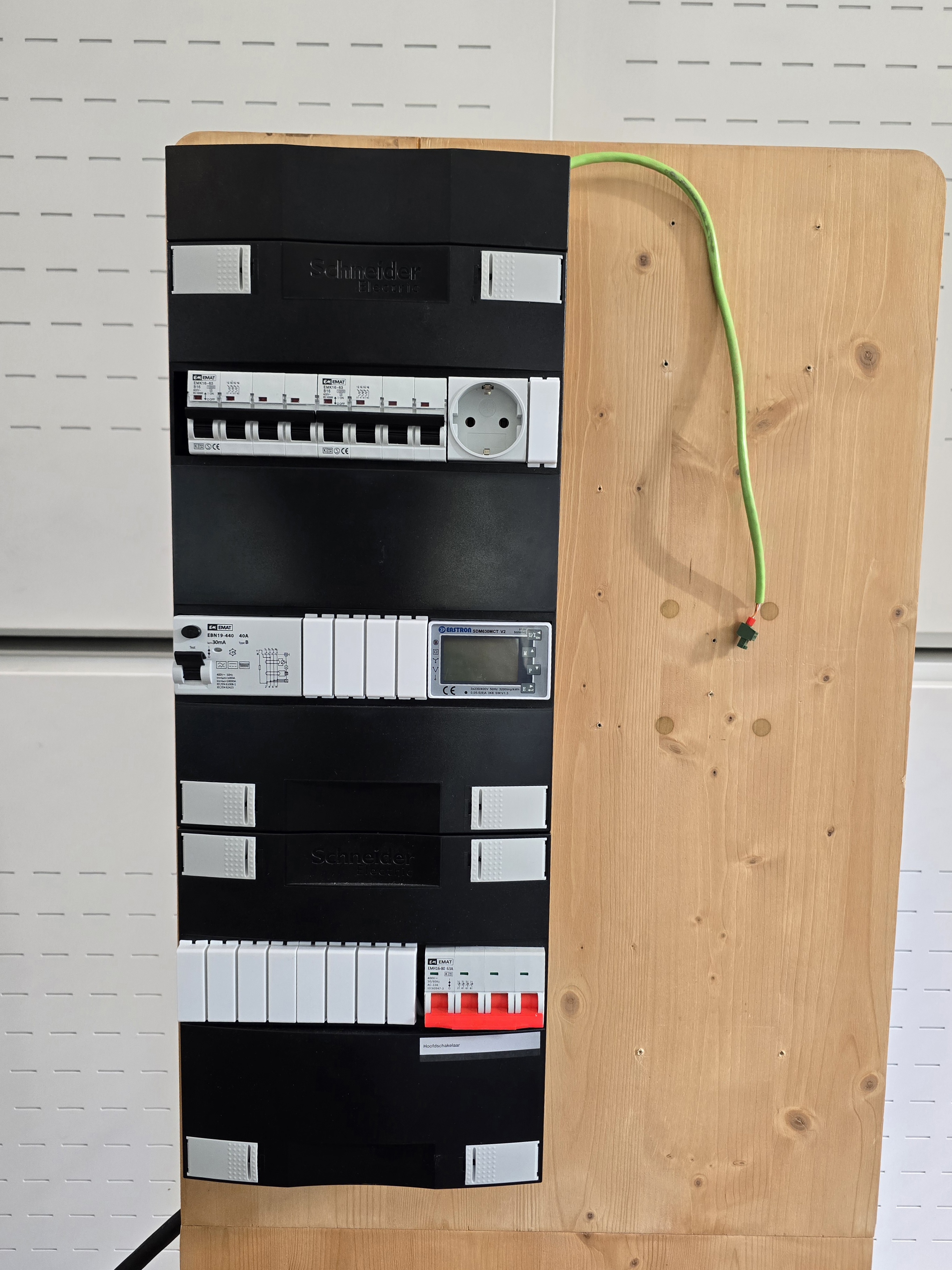
We start this installation with a fuse-panel where the energy meter is already installed and the Modbus RTU cable is prepared. Read more about the energy meter installation here. Before proceeding make sure the main breaker is disabled.
Step 1: Mount the Edge Plug&Play set
Step 2: Connect the energy meter and plug in the power of the Plug&Play set
The energymeter can be connected to the RS485-1 port of the Edge controller
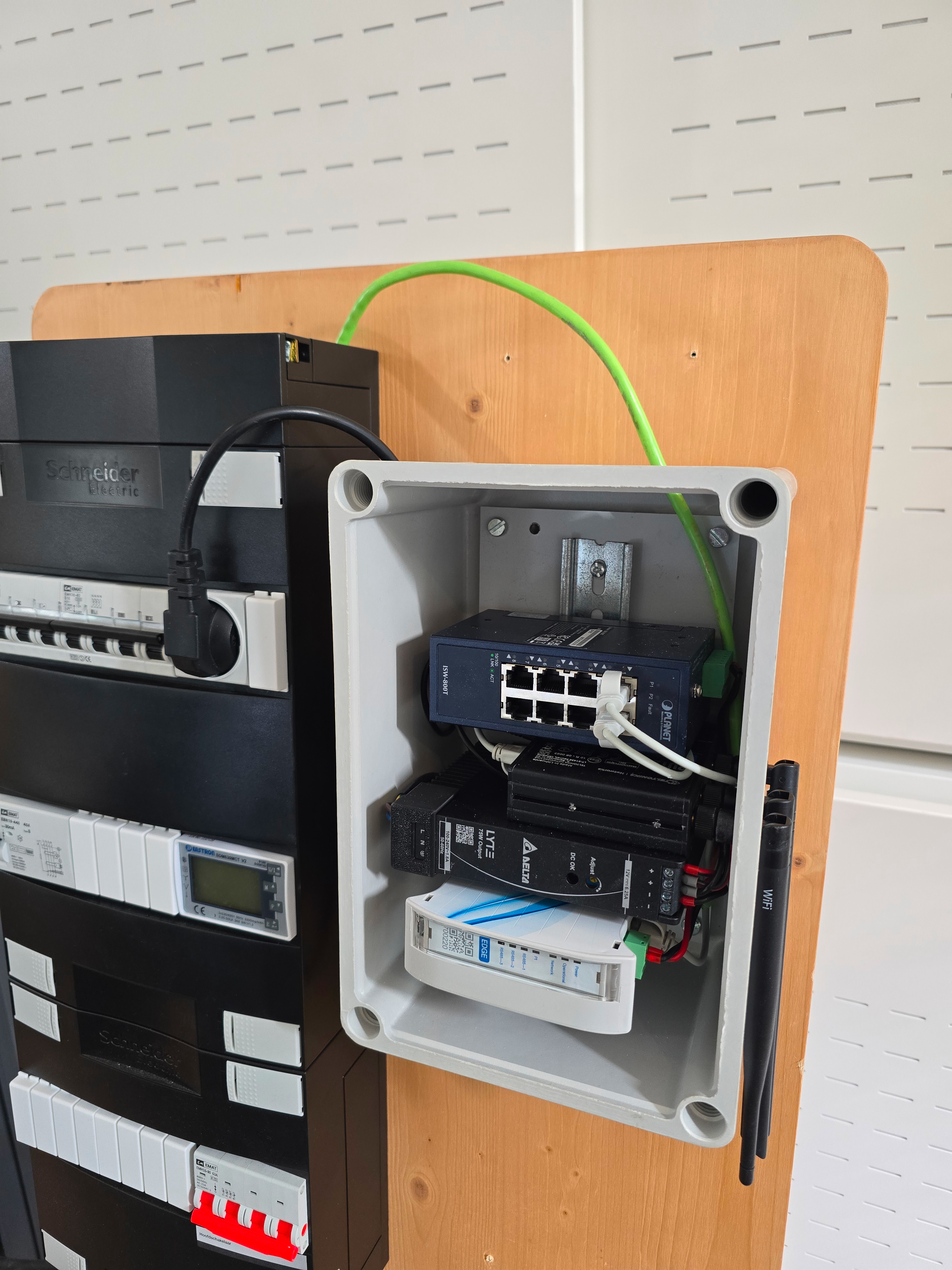
Step 3: Connect the Ethernet cables from the chargepoints
In this example we use 4 cables for 4 chargepoints. In practice we see that a switch is installed closer to the chargepoints if the distance to the fuse-panel is too long
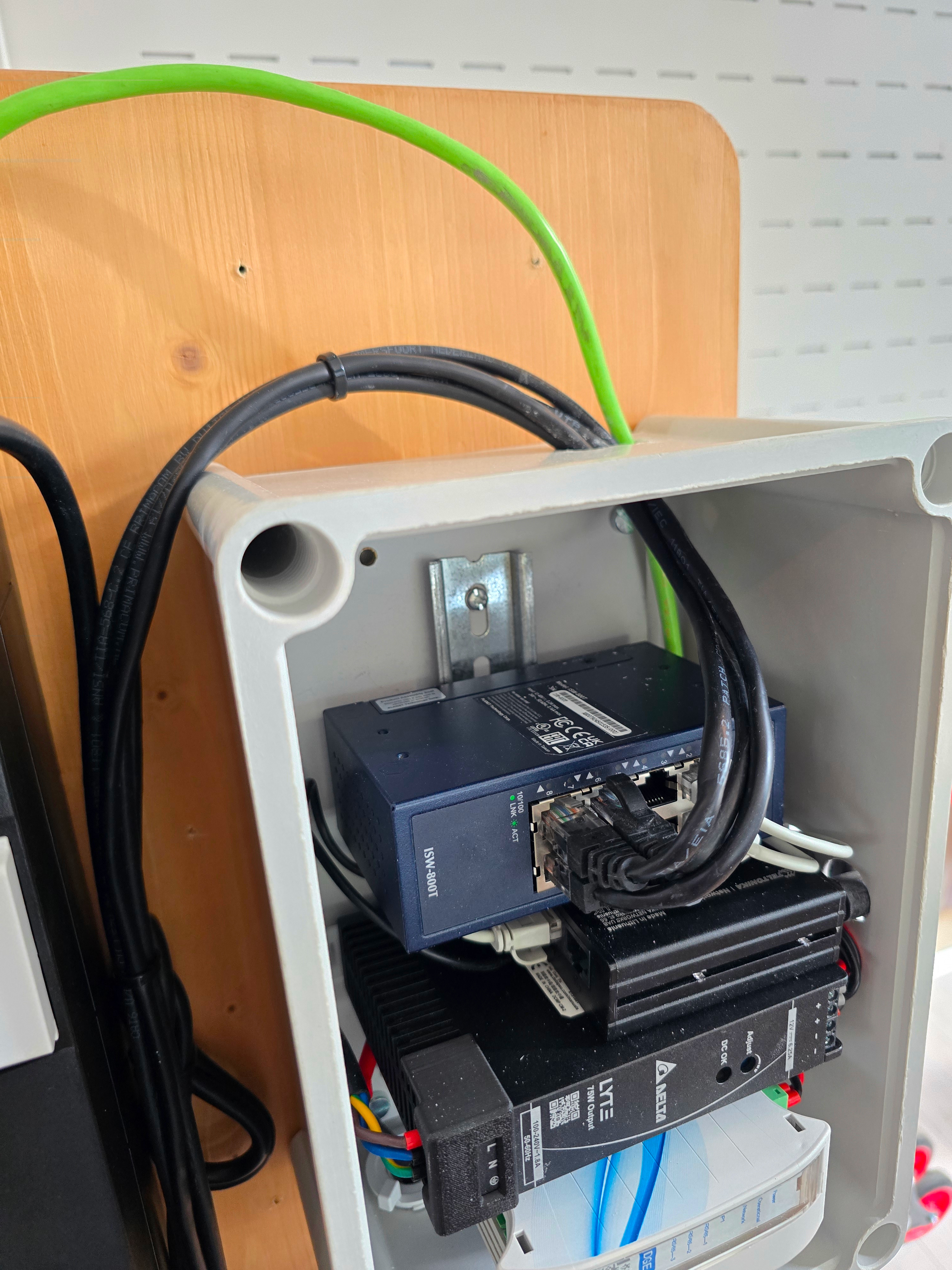
Step 4: Close the lid and close the breaker to enable the power
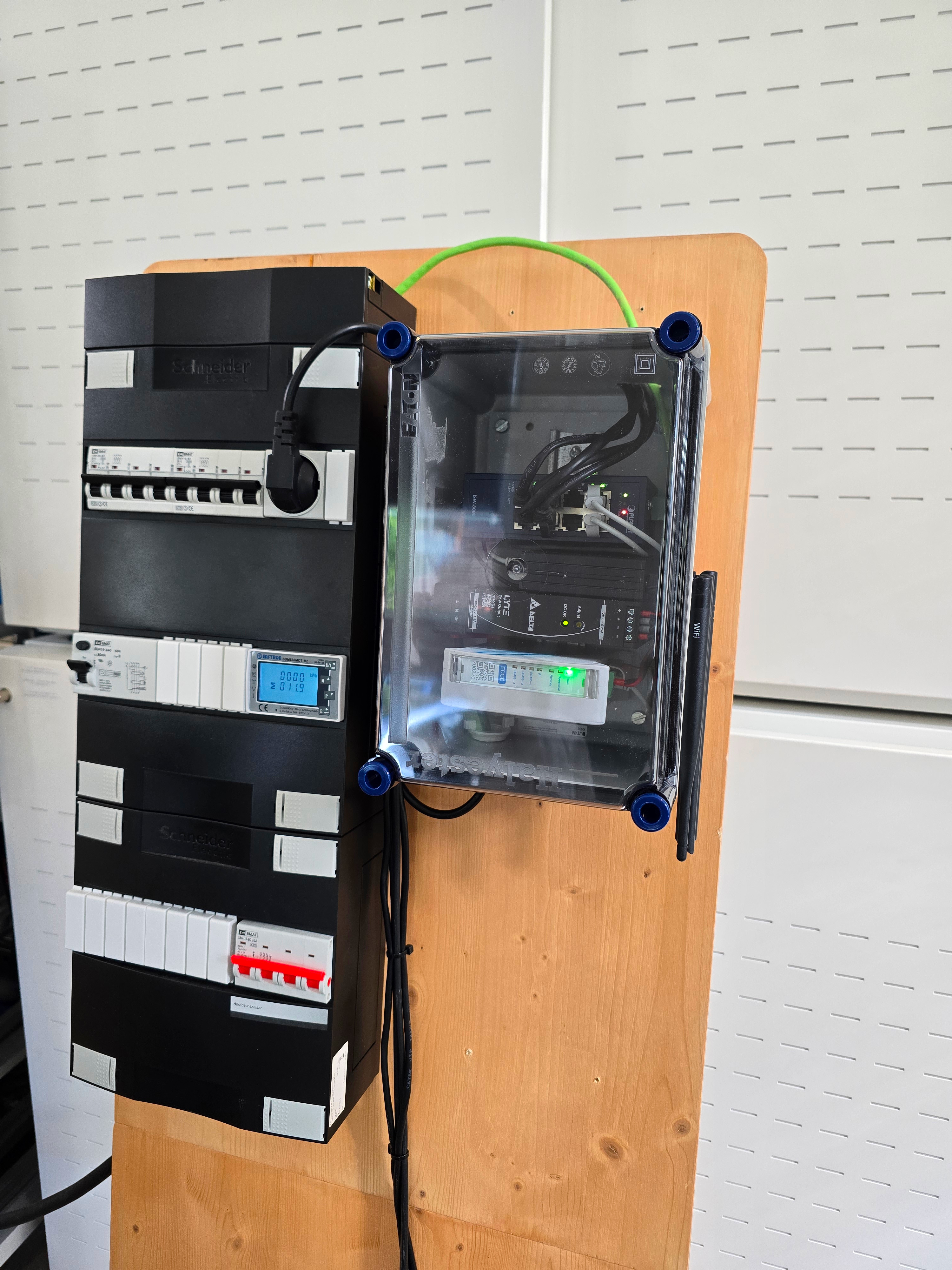
Step 5: Verify
Verify the Edge has been installed correctly by trying to connect to it. follow the guide Here
Step 6: Connect the chargepoints
Follow the steps here for the chargepoint connection steps
Reference Schematics
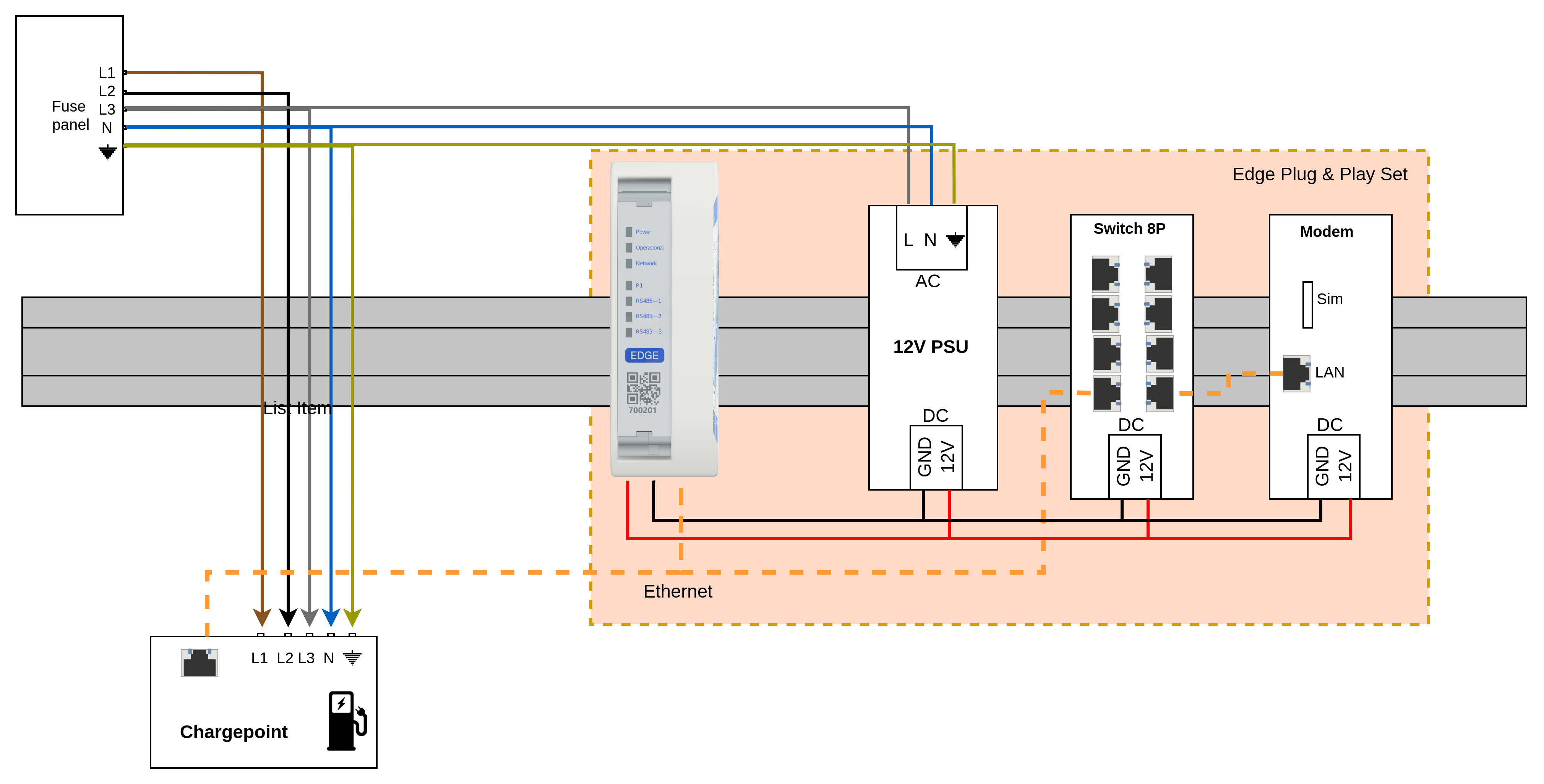
Installation of 1 single chargepoint and no energymeter with the Plug&Play set
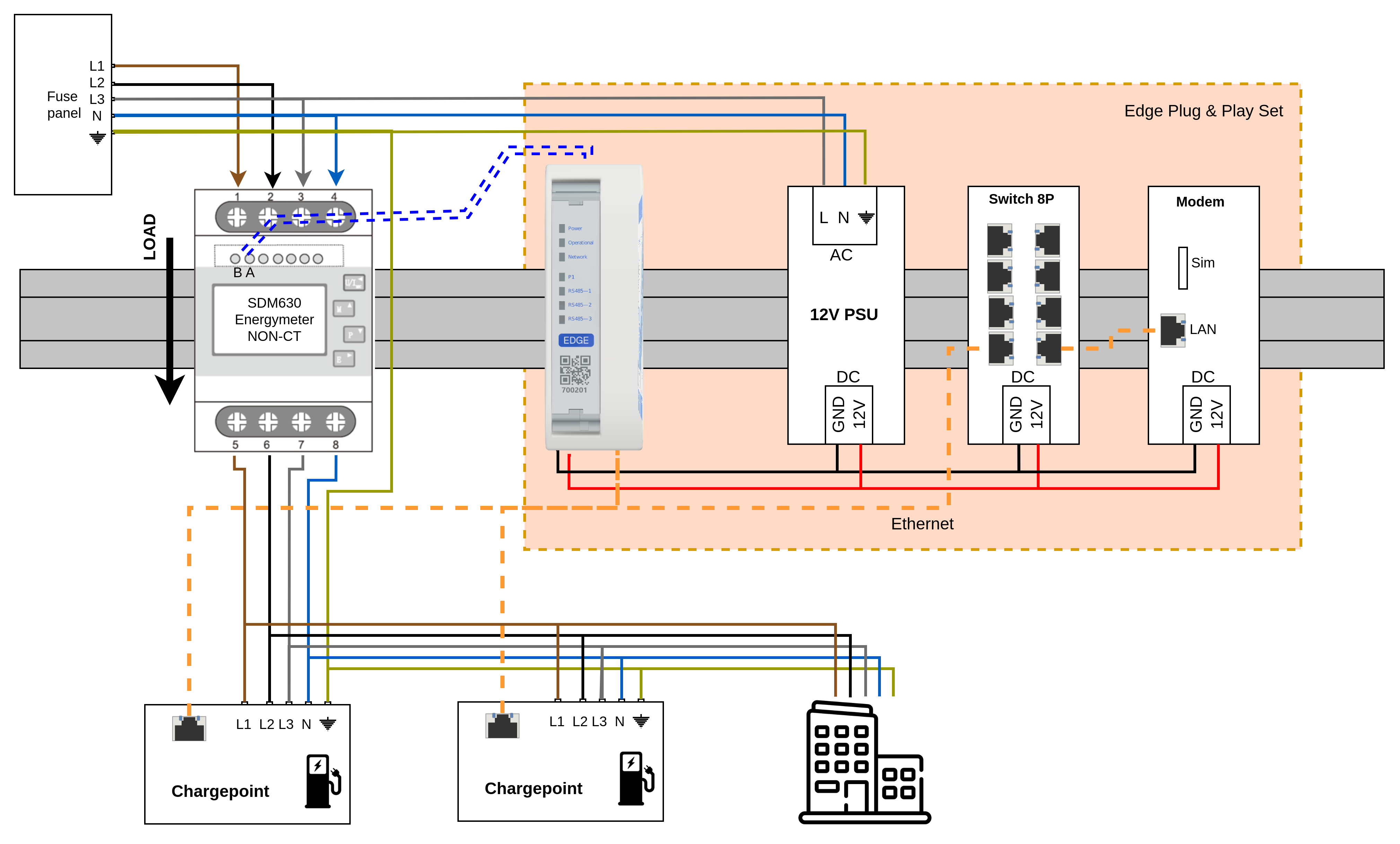
Installation of 2 chargepoints and an energymeter with the plug&Play set
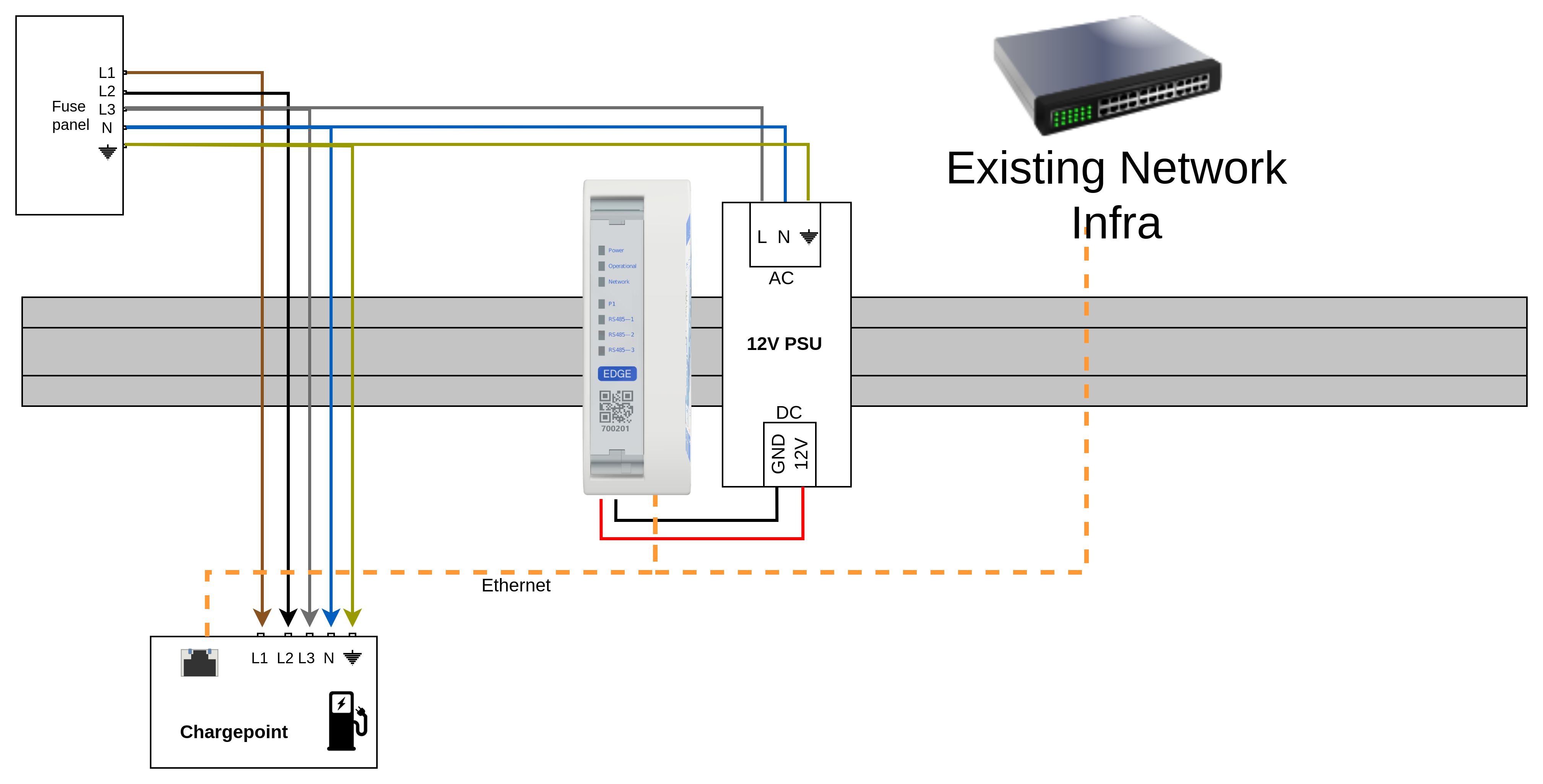
Example installation: 1 Edge, 1 Chargepoint and exisiting network infrastructure
Related Articles
Updated 6 months ago