
Energy meter installation
Connect energy meters to Edge using Modbus RTU or Modbus TCP protocol.
Supported energy meters
Before installing, verify your energy meter is compatible. See Supported Energy Meters for the full list.
Edge supports energy meters that are connected through Modbus RTU and Modbus TCP. Furthermore, Edge can be connected to P1 DSRM5.0 smart energy meters.
Modbus RTU
An energy meter with Modbus RTU can be connected to one of the RS485 ports of Edge using a twisted pair cable.
Modbus TCP
A Modbus TCP energy meter can be connected to the same Ethernet network as Edge.
Modbus TCP serves as an alternative when distances are too great or dedicated twisted pair installation isn't feasible.
A Modbus TCP converter can bridge gaps when Modbus RTU meters are already installed but too distant from the Edge controller.
Modbus RTU installation
Install your energy meter according to the manufacturer's manual.
Locate the RS-485 A and B terminals, and connect these to one of the RS-485 ports of Edge using a twisted pair cable.
The energy meter side requires a 120Ω termination resistor; the 120Ω resistor on the Edge side is already built into Edge.
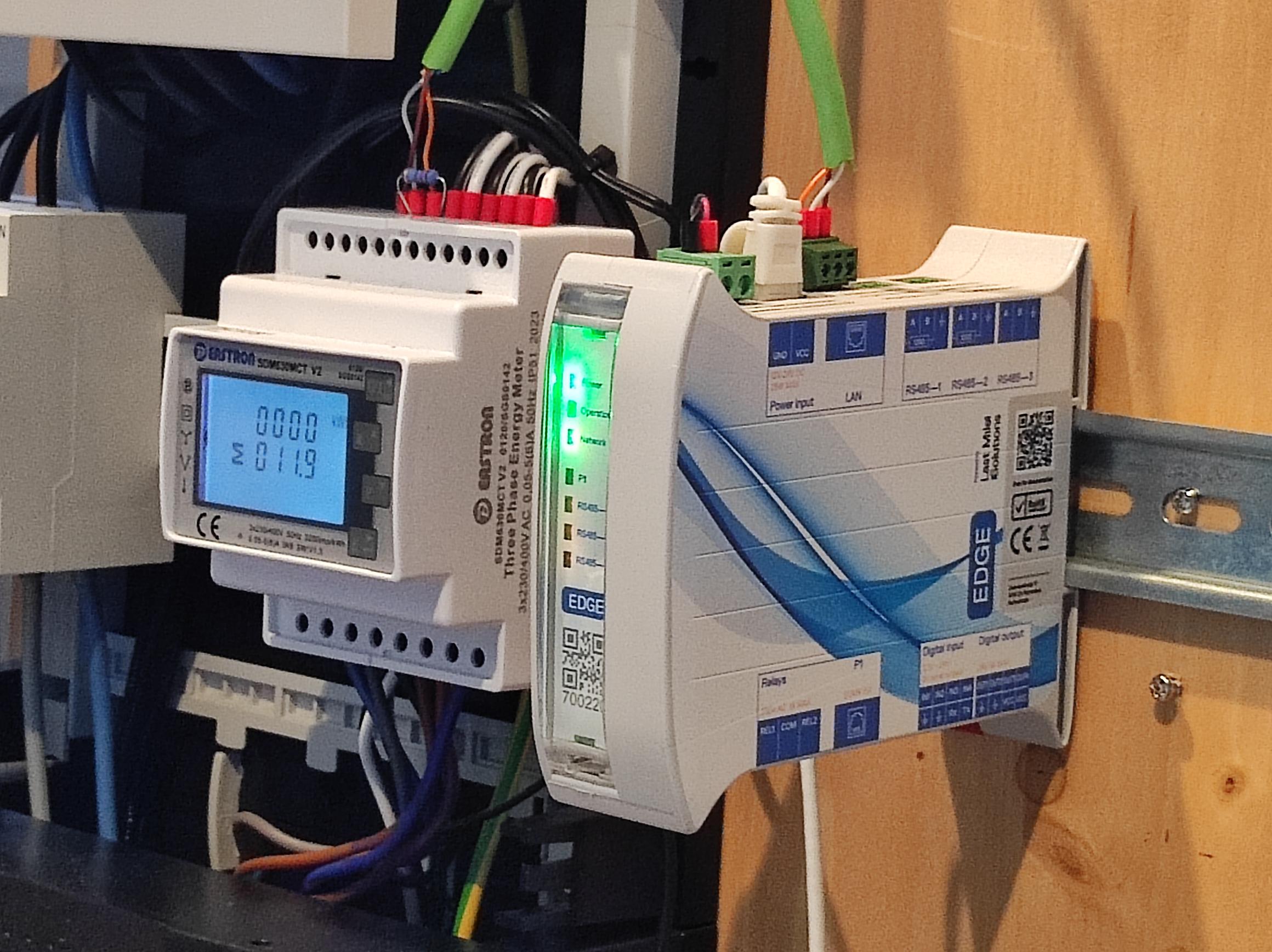
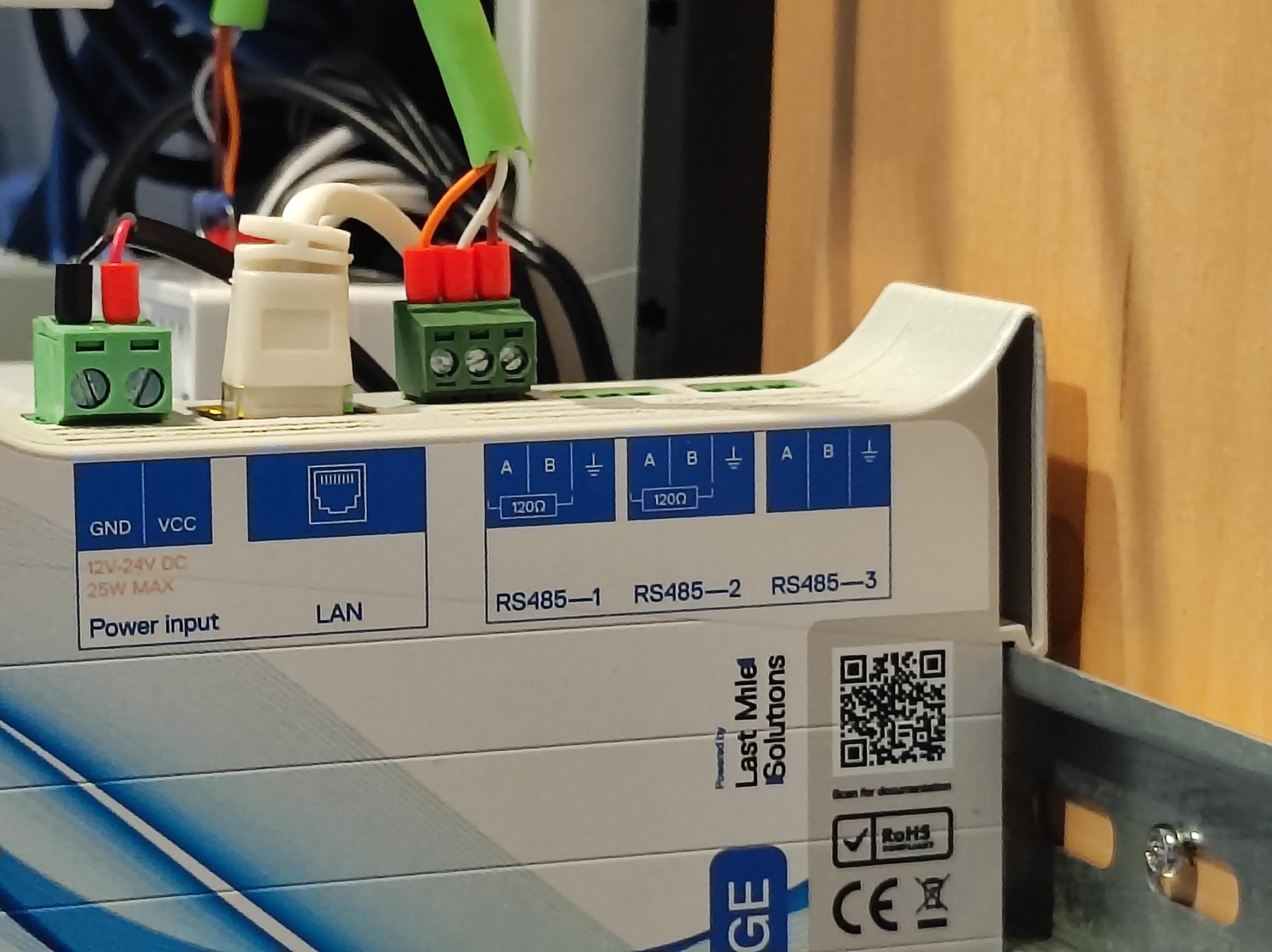
Configure the energy meter type, baud rate, and parity in EdgeManager.
Modbus TCP installation
For installation of a Modbus TCP energy meter, follow the manufacturer's manual for the electrical connection.
Connect the energy meter to the same LAN network as Edge.
Please note that Edge will need to know the IP address of the energy meter.
Network configuration tips:
❌ Do not use DHCP only; the IP address of the energy meter might suddenly change.
✅ Use DHCP, then log in to the router and configure a static lease. This way, the IP address will never change.
❌ Do not configure a static IP address without checking the router's DHCP range; the IP address might conflict with other devices.
✅ Configure a static IP address outside of the DHCP range.
Eastron SDM630MCT
The Eastron SDM630MCT can be ordered via the Edge order form. When ordered from this form, the CT ratio will be preconfigured for you. If you've bought it elsewhere, enter the settings menu of the energy meter and enter the CT ratio according to the manuals calculation. (Note: the MID variant can only be written once.)
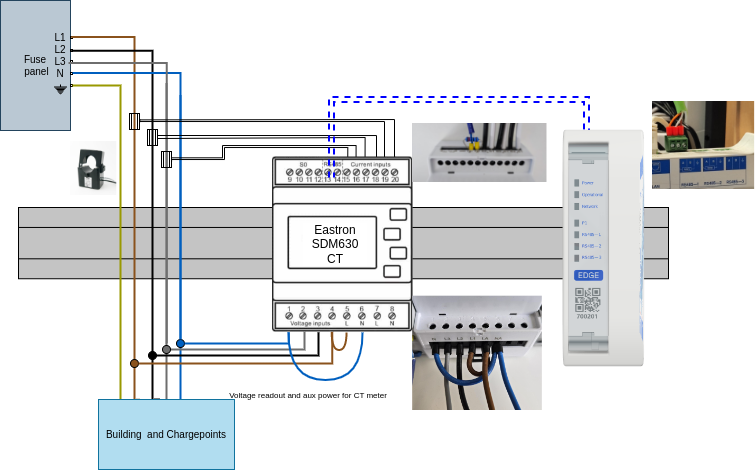
Connect the energy meter as shown in the image, make sure to check the CT polarity is correct. Also, make sure that both voltage and current measurement are connected to the right phase. Verify this by check if the measurements are as expected(positive power on 3 phases, power factor ~1.0).
Check the images for the RS-485 wiring and the wiring of the voltage measurements and auxiliary power supply.
Related articles
Updated 6 months ago