
Connect to EdgeManager and First Login
EdgeManager is a web-based interface for configuring and monitoring Edge. Follow these steps to connect for the first time.
Connect to EdgeManager
- Power on the Edge
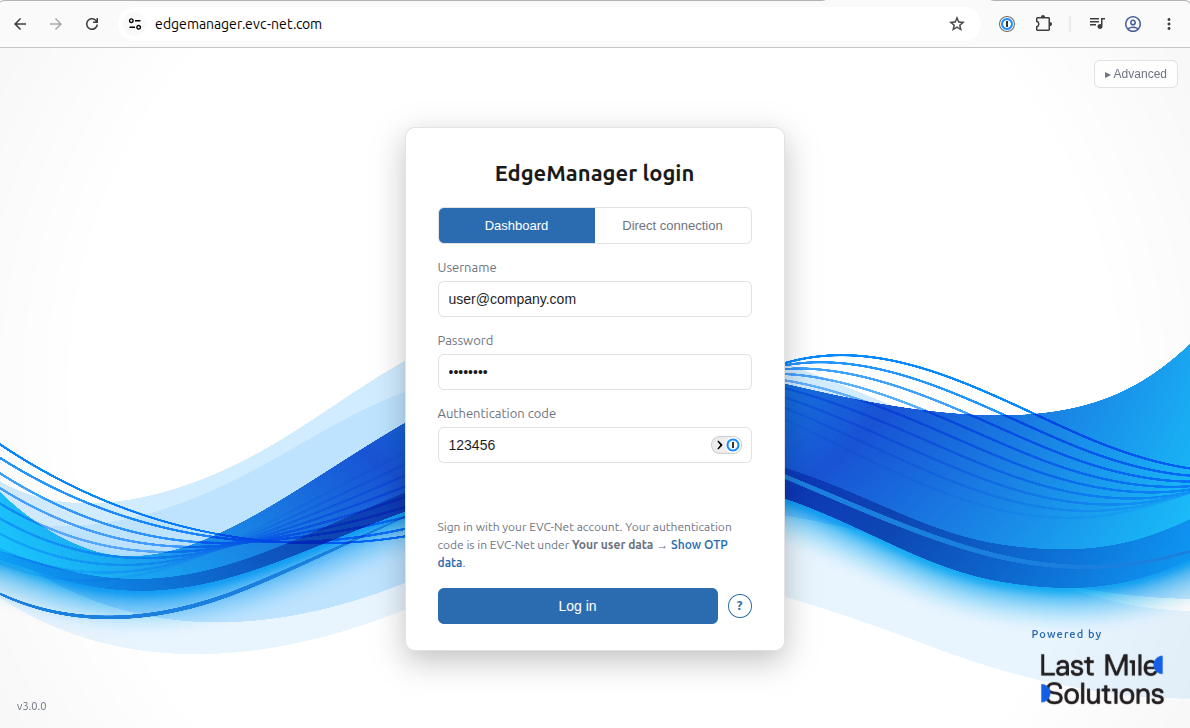
- Open edgemanager.evc-net.com
- Log in using your EVC-net credentials
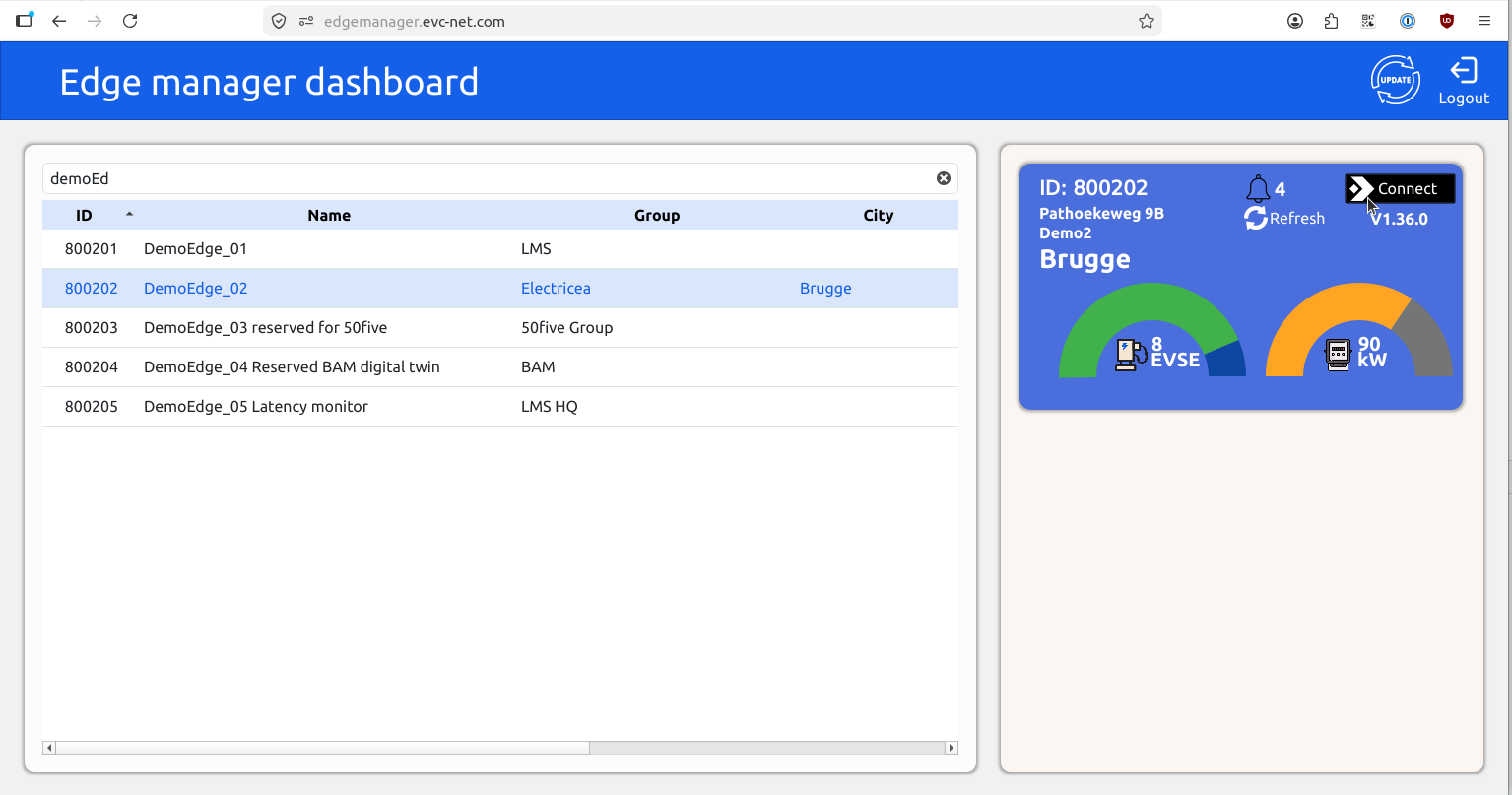
- Navigate to your Edge in the dashboard
- Click Connect to log in to your Edge
First steps after login
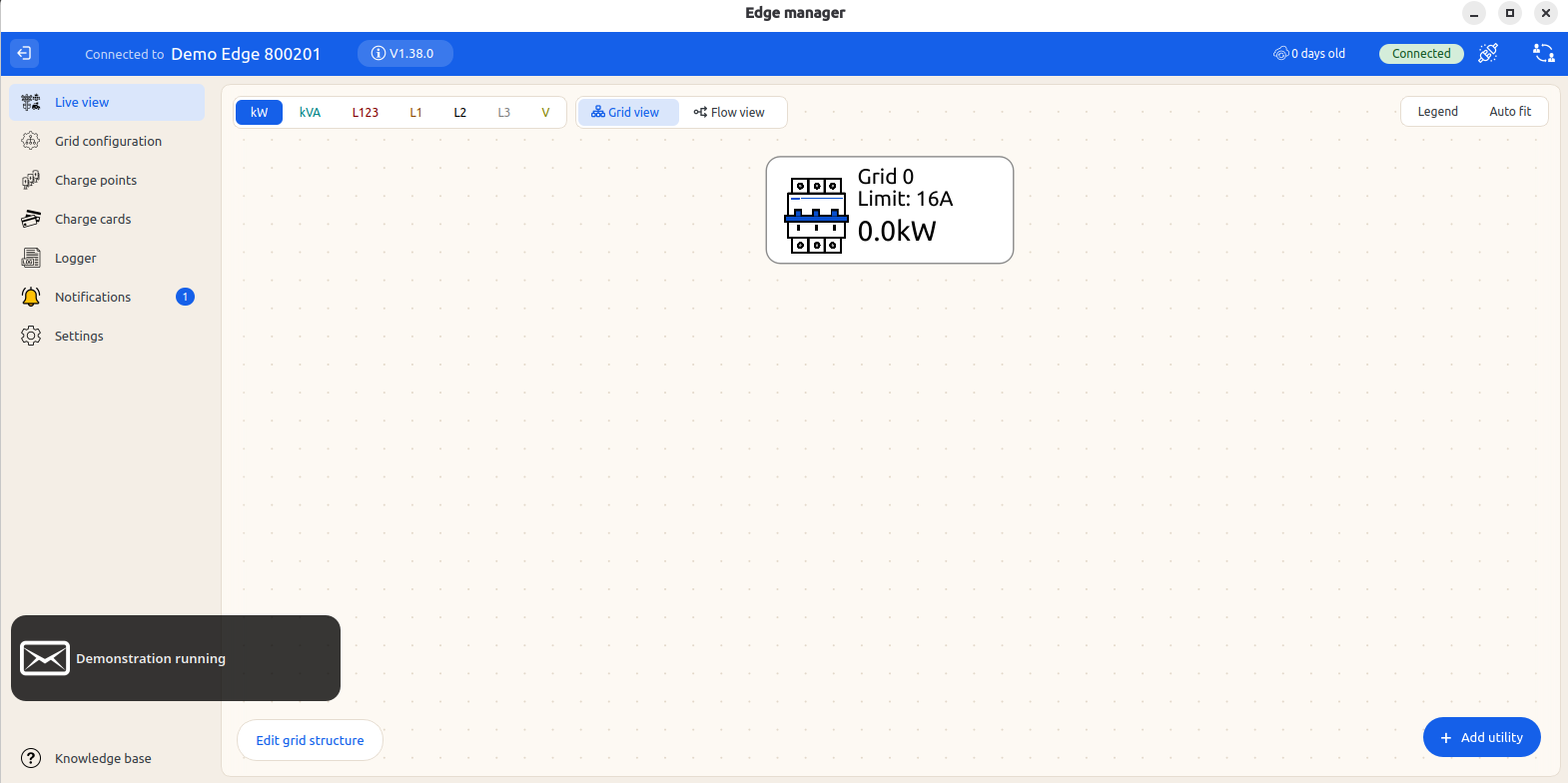
After connecting, you see the Edge live view. The Edge provided to you should be configured like shown: Containing a single top-level Grid rated for 16 Amps
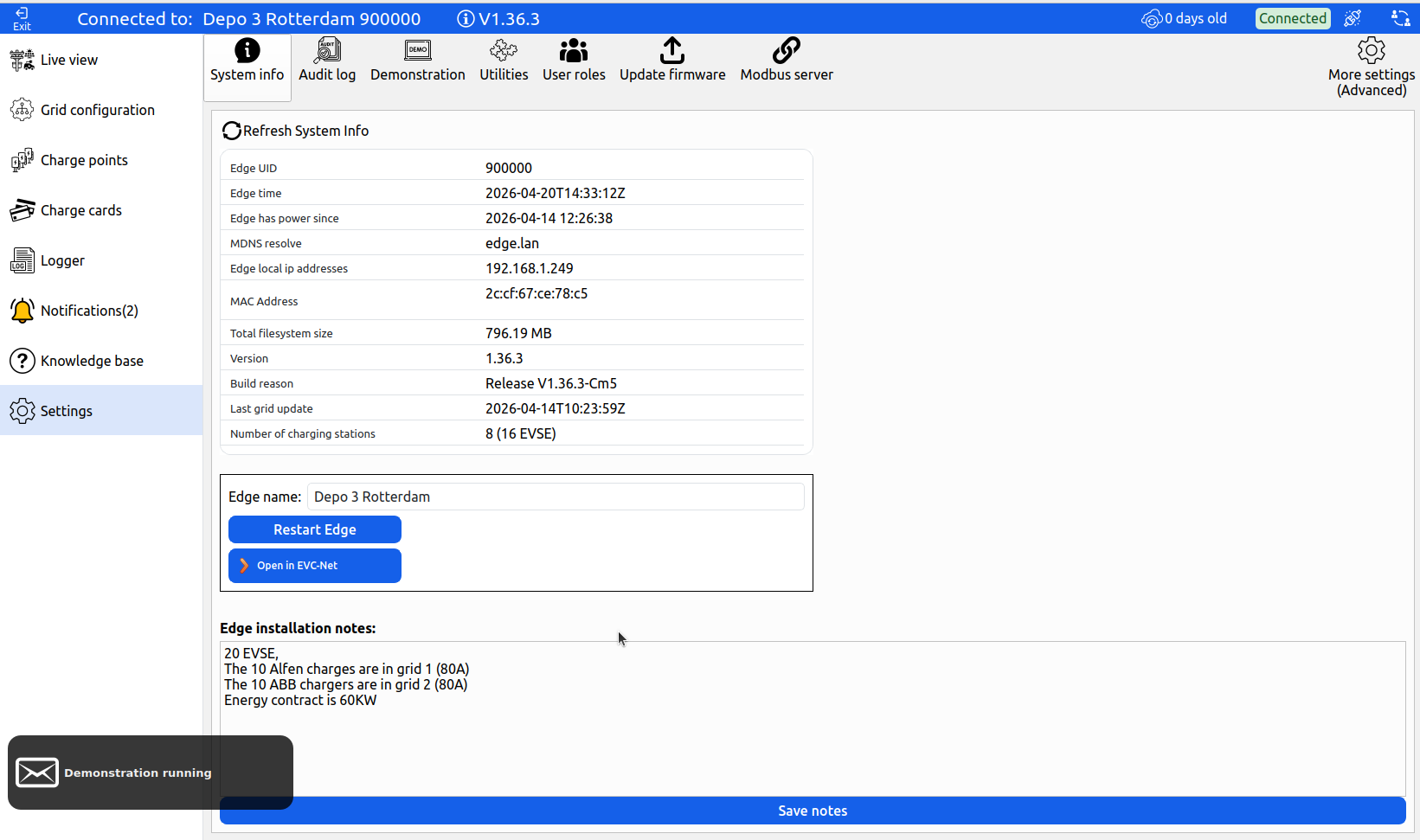
Before connecting chargepoints, record some information about this Edge:
-
Go to the Settings tab
-
Change the Edge name — this name is used to identify this Edge. In the shreenshot below it has been named to "Depo 3 Rotterdam"
-
Fill in the Installation notes — describe the installation so the next technician can understand the setup when they log in for troubleshooting
-
Continue to connect your chargepoints to Edge
Add new users to EdgeManager
To add a new user, follow the procedure to create an account on evc-net.com. If you are unable to create a new user, send a request to [email protected]. For managing user roles and access levels, see User Access Management.
Updated 3 days ago