
How to Add a Solar Inverter to Edge
If you have a hybrid solar-battery inverter, add it as battery to Edge. When connected both the solar and battery will show up in Edge.
When you connect your solar inverter to Edge, the energy flow from the solar panels is visualized in the live view of EdgeManager. Various relevant readings from the inverters are plotted in graphs.
You might want to use the solar inverter for solar charging.
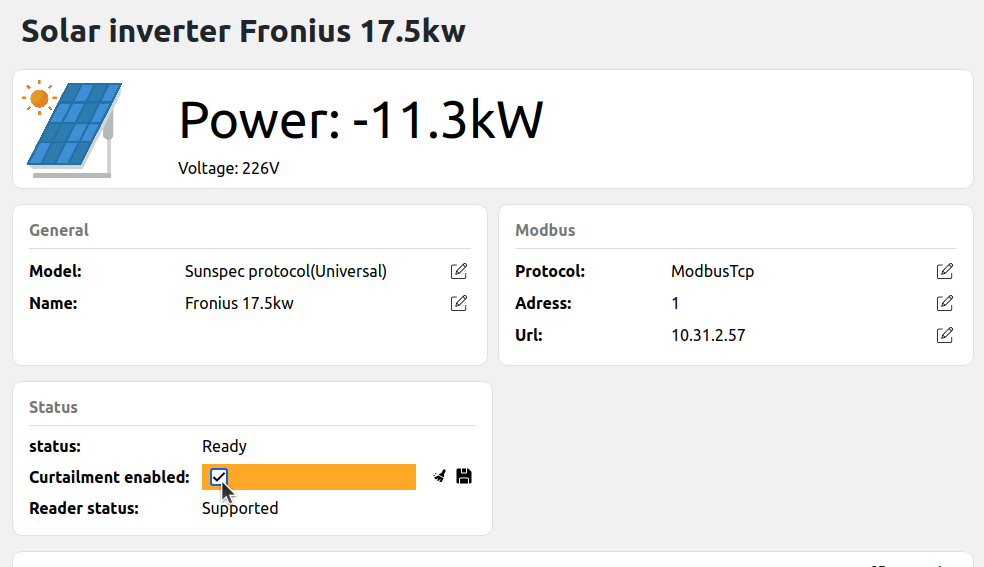
Edge also supports curtailment, with curtailment, the power output of the inverter can temporarily be reduced to prevent congestion or to optimize for energy pricing.
Check how to configure export limits and curtailment.
If your inverter supports the "sunspec" protocol, it will be automatically supported in Edge. You can connect it to Edge by either Modbus RTU or Modbus TCP. Both Float and INT+SF models are supported.
The Kostal Piko 10 / 20 has its own dedicated integration and does not rely on SunSpec — select it directly as the model in Step 2.
If your inverter does not support "sunspec" and is not one of the dedicated models above, please do a request for the integration of the inverter.
Step 1: Add the solar inverter in Edge
From the EdgeManager live-view, click on the "+" icon in the bottom-left corner and click "Add new solar inverter".
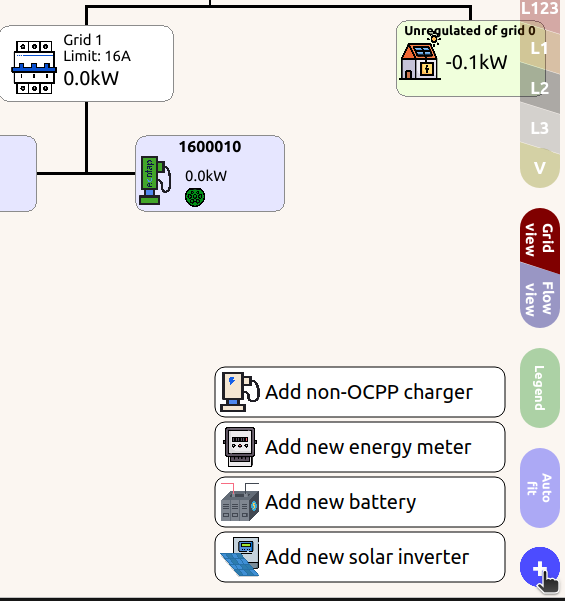
Step 2: Configure the model and name
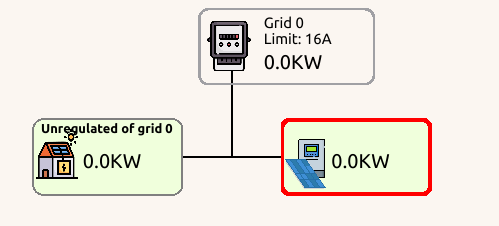
A solar inverter node will appear in the live view, click on the solar inverter and navigate to settings at the right bottom of the screen. Select your energy meter model, by default "Sunspec" is selected. Also give the inverter a User identifier.
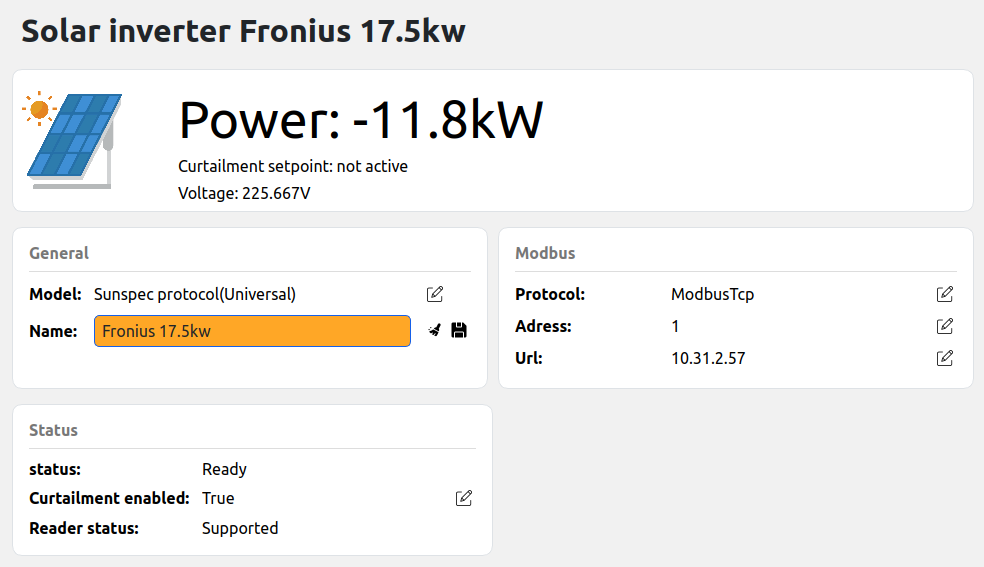
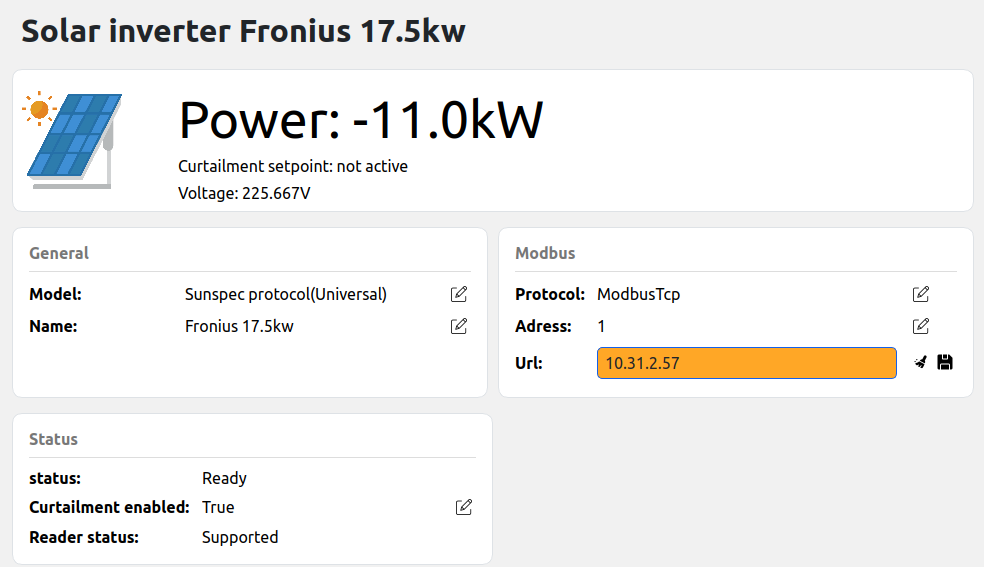
Step 3: Establish the connection
Open the Modbus settings pane, and enter your Modbus RTU or Modbus TCP settings.
For Modbus TCP: Your inverter must have a static IP address or static lease. If it's in DHCP mode, the IP address might suddenly change after a power cycle of the router and inverter.
Step 4: Validate the result
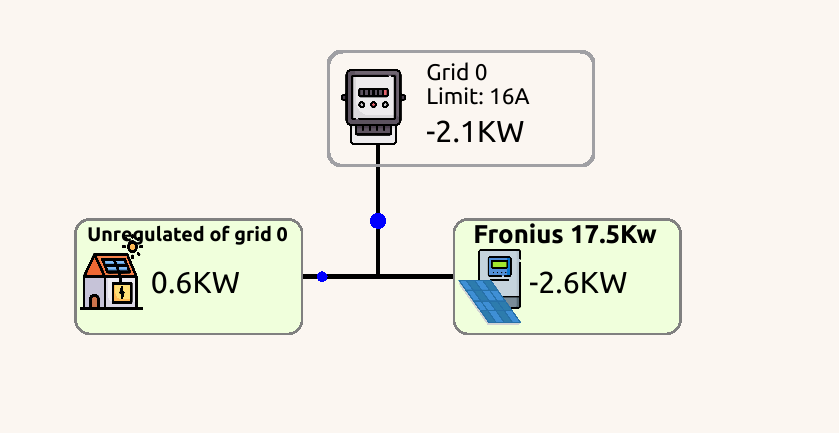
If the connection between Edge and the solar inverter is established, the liveview will show energy flowing and the error notifications will disappear. Additionally, if you click on the Sunspec settings status information can be found.
Step 5: Add the solar inverter to the grid
Adding a solar inverter to the right grid is done in the same way a charge-point or energy meter is added to the grid. Read more about configuring the grid here.
Step 6: Optionally, configure export limits
If you have more potential electricity generation than you're allowed to export into the grid, you can enable export limits to apply load balancing for exporting power. First allow Edge to use curtailment with your inverter by enabling the checkbox curtailment enabled. Then read through the guide on how to configure export limits.
Updated about 2 months ago