
Security with OCPP1.6 Chargepoints
OCPP communication between chargepoints and CPO occurs over the WebSocket protocol (ws://ws.evc-net.com). When chargepoints connect through Edge (ws://edge.lan) acting as a proxy, two communication flows require security attention. Standard OCPP websockets lack encryption and authentication by default.
Security improvements include:
- Upgrading WS to WSS (encrypted WebSocket)
- Implementing basic authentication
WSS (Secure WebSocket)
WSS Between Chargepoint and Edge
Connect to Edge using wss://edge.lan as the charger endpoint. Edge operates within a private local network where encryption is less critical than public internet communication. Edge uses a self-signed TLS certificate since local network certificates cannot be signed by certificate authorities.
Some chargers may require configuration to trust Edge's certificate. TLS errors in chargepoint logs indicate the charger is rejecting Edge's self-signed certificate.
WSS to EVC-Net
Step 1: Open the charger dashboard at [your-domain].evc-net.com. Set Security to "No authentication over HTTPS/WSS" and save.
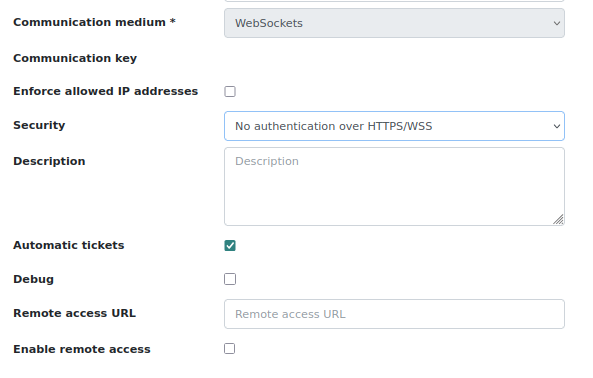
Step 2: Configure WSS in EdgeManager. From the liveview, select the charger, navigate to Settings → Network interfaces → Uplink interface. Set Endpoint to wss://wss.evc-net.com and save.
Edge automatically detects WSS on first connection and selects WSS for EVC-net communication accordingly.
Basic Authentication
WSS secures the Edge-to-EVC-net connection, but someone knowing the charger's OCPP communication ID could intercept it. Basic authentication adds a required password for charger connection, ensuring only authorized devices connect.
Step 1: Open the charger dashboard. Set Security to "Basic authentication over HTTPS/WSS". Configure username and a random password separated by ":". Save changes.
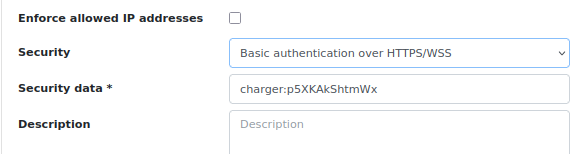
Step 2: Configure WSS in EdgeManager. Select the charger, navigate to Settings → Network interfaces → Uplink interface. Set Endpoint to wss://wss.evc-net.com and enter the matching username/password combination, or enter base64-encoded credentials.
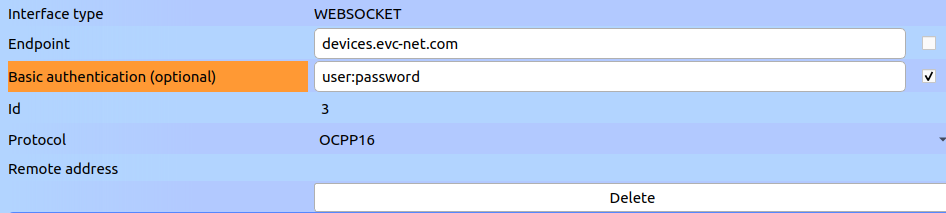
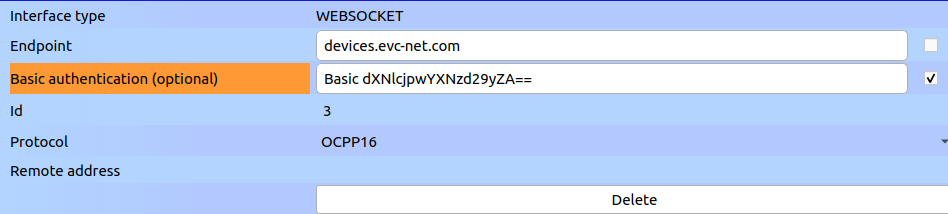
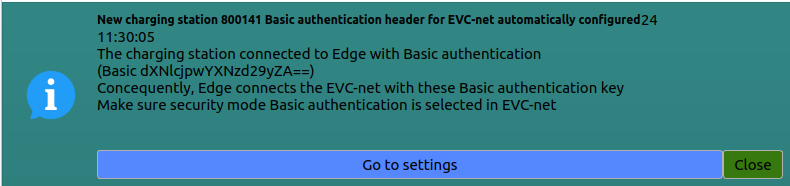
Edge automatically detects basic authentication on first connection and applies matching credentials for EVC-net communication. If credentials change later, manually update the Edge configuration as described in Step 2.
If basic authentication is not in use, keep the OCPP communication ID secret!
Updated 7 months ago