
How to Do a Firmware Update
Edge receives regular firmware updates with new features and expanded device support. If your current firmware is becoming outdated it will be marked at the top of the dashboard. If no action is taken your Edge controller will be updated by Last Mile Solutions.
- Login to your Edge device you want to update using the Edgemanager
- In the top left corner, your Edge name, ID and software version is shown. Click on the info icon next to the software version. A window will open where all available firmware versions can be found
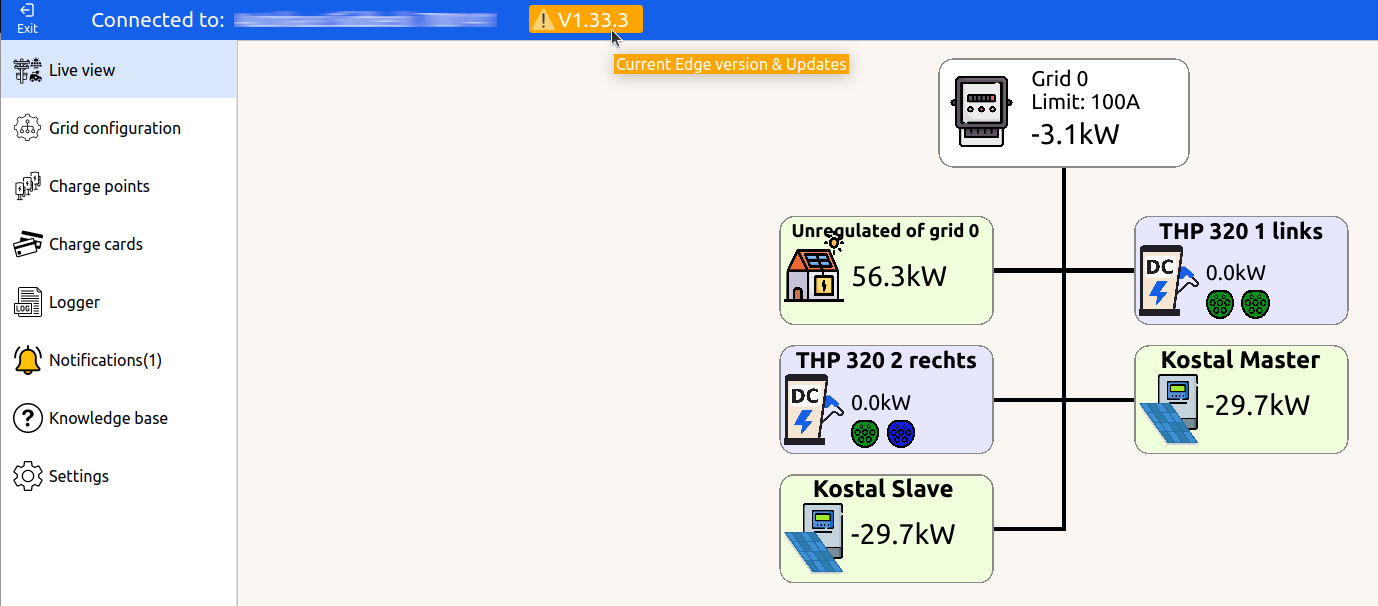
- Update your Edge to the latest (Stable) version.
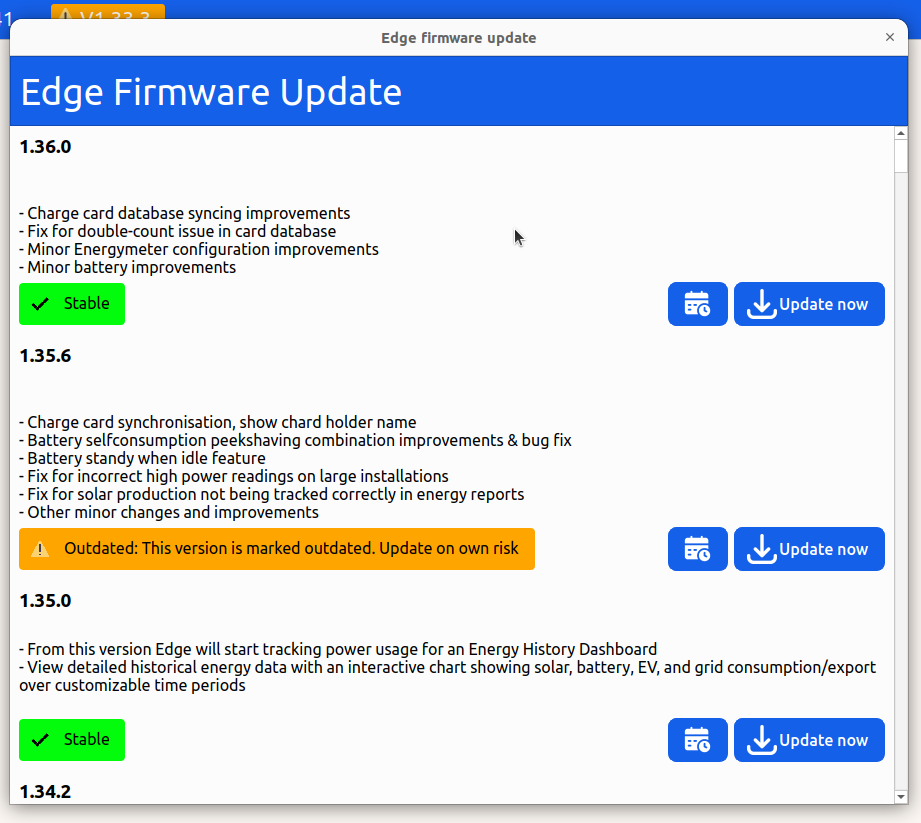
- Updating can be done in 2 ways.
- Directly: By clicking "Update Now"
- Scheduled: Which allows you to schedule and update
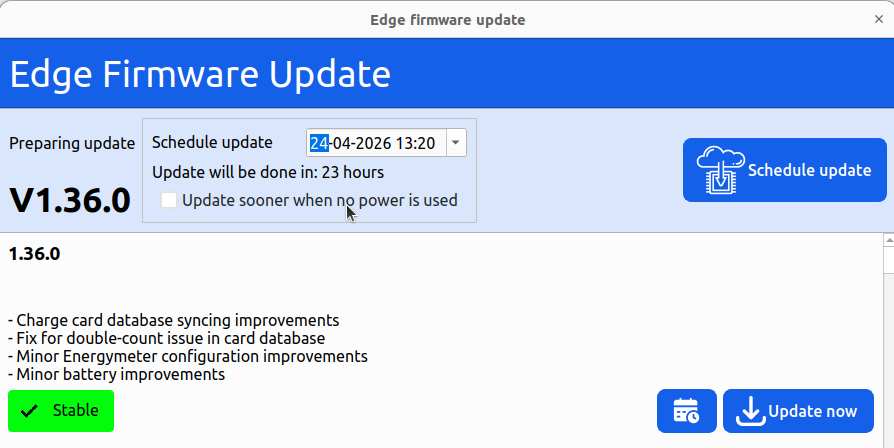
- Click on accept. A small notification in the bottom of your screen will show the progress

FAQ
Is it safe to update an Edge?
Yes, the update process is safe and has been proven over a long period. Firmware's marked with "stable" are thoroughly tested. Please note that firmware's marked with "Preview" are still being tested, therefore "Preview" versions should be avoided for critical locations when the update is not yet needed.
How often do I need to update my Edge controller?
We sometimes do multiple releases a month, each version has improvements, however most of these improvements are not relevant for your existing installation and you can skip them. However, we want every Edge controller to have a firmware version not older than a few months to avoid support cases with known issues. When your Edge version is known to have a critical bug, or is simply too old to support, it will be marked "Outdated". In this case an update is required.
What if I never update my Edge devices?
A known saying is: "if it ain't broke, don't fix it". We also believe in this. However we don't want to keep supporting old firmware versions forever. Therefore, if you do not update your Edge device when it is marked "Outdated", we will do the update ourself. We will always try to do this after busy hours.
Can I downgrade back to older versions?
In some cases, you're able to downgrade to an older version. But note that this option can be disabled if backwards compatibility is not supported on that version.
Who is responsible for updating the Edge devices?
In most cases, the CPO / installation-party manages the Edge and keeps it up to date when needed. The end customer might also take over this responsibility. Last Mile Solutions only updates in specific cases like when software versions are known to have critical issues or if a version is too old too keep compatible.
Updated 6 months ago