
How to Configure Time of Use
Time of Use (ToU) is a feature in Edge that supports variable grid limits through schedule-based configurations. A ToU schedule repeats every 24 hours and can be assigned to an entire grid or to any sub-grid for multiple dynamic limits.
Use Cases ToU
- Opening hours for e.g. guest parking spaces (By configuring a ToU on the stations for guests)
- Variable Grid Limits for special capacity contracts (non-firm ATO)
- Static Postponed Charging
Configuration
-
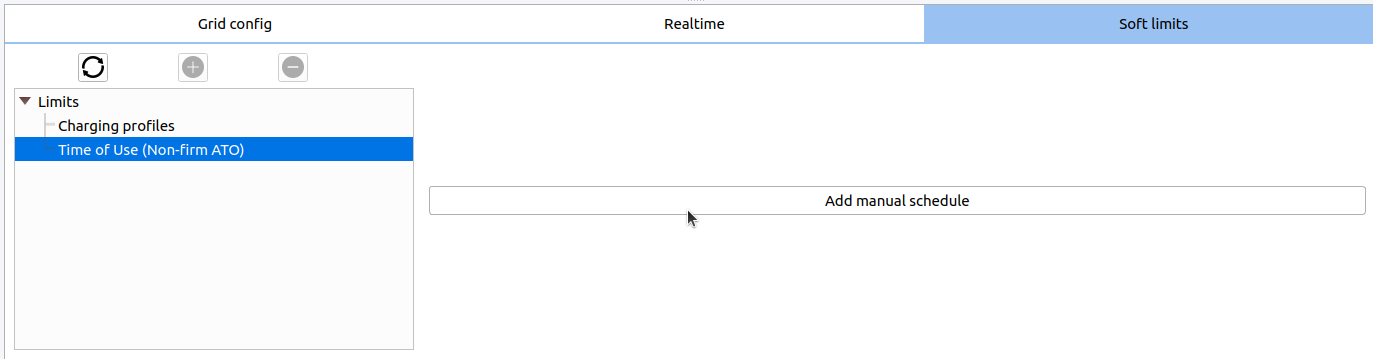
Go to the Soft limits tab
In Edge manager, navigate to Grid configuration, select the grid where the schedule needs to be applied. And click on the Soft limits tab.
-
Make a new schedule
Press the button Add manual schedule, A new tab will open. The line in the capacity schedule can be moved up or down. More time segments can be added by a right-mouse click -> Add.
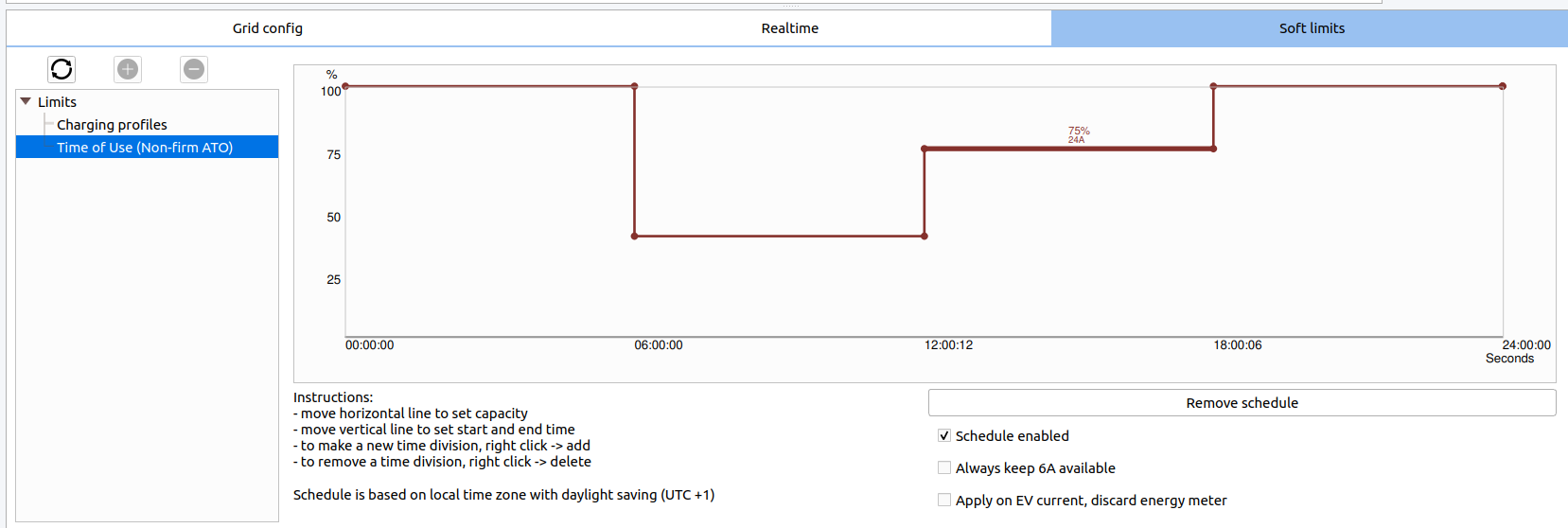
The limit is applied in real-time, so the grid will adjust its limit during the time you are editing the schedule!
-
Verify if the Time of Use is enabled.
The flag "Limit by ToU" will be shown in the grid config window if the ToU limit is active. Note that this flag will not be shown if the limit is 100%, and is only shown if the ToU actually is the 'highest' limit on the grid.

Optional Settings for ToU
- Schedule enabled: schedule only applies if this checkbox is checked.
- Kw Limit: specify the limits in Kilowatts instead of Amps.
- Always keep 6A available: Every EV in the grid is given at least 6 amps, even if the ToU schedule does not allow it.
- Apply on EV current, discard energy meter: If there is a guard energy meter in the grid, by default, the limit applies on the current of the energy meter, so other appliances in the building are included. When this checkbox is checked, the limit only applies on current used by EV charging.
Updated 7 months ago