
How to Configure a Combination Energy Meter
Sometimes a single measurement point is not enough. A site might be fed by two grid connections, you might want a main meter minus a sub-load, or you might want two meters guarding the same point for redundancy. The Combination meter type covers these cases.
A Combination meter is a virtual meter: it does not talk to any hardware itself. Instead it references two or more energy meters that are already configured on the Edge and merges their readings in real time using a selectable calculation type. The combined result behaves like any other meter — you assign it a grid role and add it to a grid as usual.
Calculation types
| Type | What it does | Typical use |
|---|---|---|
| PLUS (default) | Adds all linked meters together — per-phase current, active/reactive/apparent power, and energy (Wh import/export). | Combine several feeds or circuits into one total. |
| MINUS | Takes the first linked meter and subtracts every other meter from it. | Isolate a remainder, e.g. a main meter minus a submeter. |
| MAX | Takes the highest value across the meters (per phase and total; the meter with the greatest active power drives power and power factor). | Worst-case guarding across measurement points. |
| REDUNDANT | Uses the first available meter and automatically switches to another linked meter if it becomes unavailable. | Measurement redundancy for reliability. |
For PLUS and MINUS the combined power factor is reported as 1 and the voltage is taken from the first meter. MAX and REDUNDANT report the power factor of the meter actually driving the result.
Before you start
Add and configure every meter you want to combine first — see Configure an Energy Meter. The Combination meter can only reference meters that already exist on the Edge.
Step 1: Add the Combination meter in Edge manager
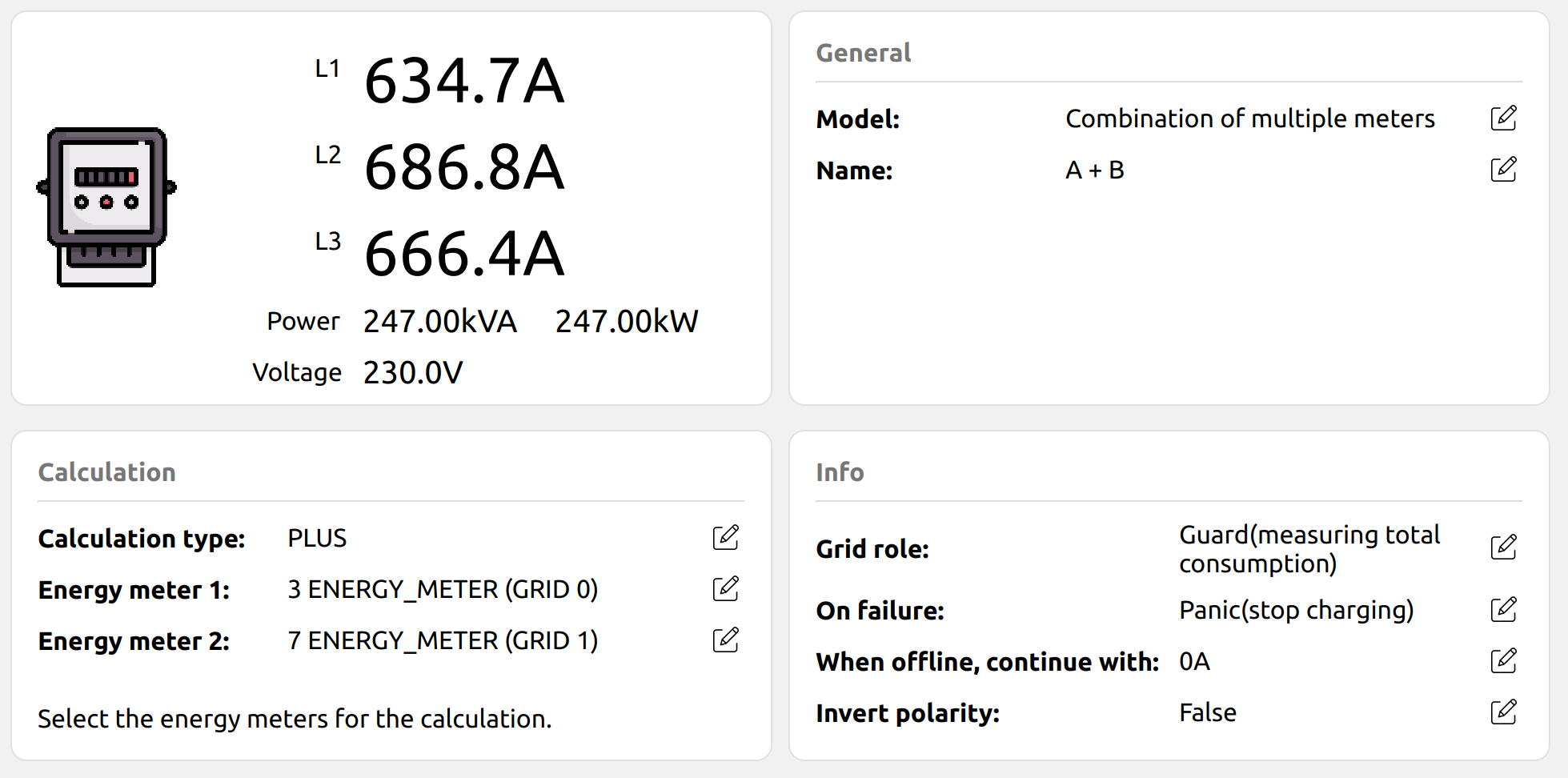
From the Live view, click the + button in the bottom-right corner to add a new energy meter, and select the model Combination of multiple meters.
Step 2: Choose the calculation type
Click the new meter to open its dashboard and set Calculation type to PLUS, MINUS, MAX, or REDUNDANT (see the table above).
Step 3: Link the meters
A Combination meter needs at least two linked meters.
The order matters for MINUS (the first meter is the one others are subtracted from) and for REDUNDANT (meters are tried in order).
If a linked meter is missing or goes offline, the combined meter becomes invalid and raises a Calculation energy meter error notification — except in REDUNDANT mode, which is designed to fail over. The combined meter also only advertises the capabilities common to all its sources (for example, it is bidirectional only if every linked meter is).
Step 4: Validate
The combined value updates continuously. Confirm the Live view shows the expected total (PLUS), difference (MINUS), maximum (MAX), or active source (REDUNDANT), and that no calculation-error notification is present.
Related Articles
Updated about 1 month ago