
Connecting EVBox to Edge (G2&G3)
This guide explains how to connect EVBox G2 and G3 chargepoints without Ethernet connectivity to the Edge system. The process requires two main steps: establishing a physical RS485 connection and configuring the connection settings. Newer EVBox generations can be added as standard OCPP chargepoints.
Edge will only control the power to the whole chargepoint (which can consist out of multiple satellite-charge boxes). The EVBox distributes available power among its charge boxes, preventing priority charging per individual EVSE.
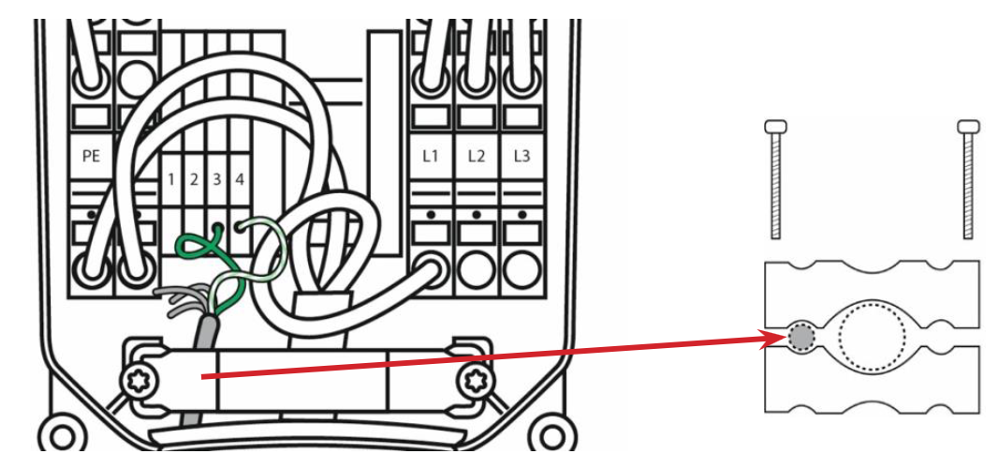
Step 1: Physical Connection to the EVBox Modem
two connection options are available:
Option 1: Direct connection (Recommended)
This approach is simpler and recommended for most installations. 1 of the Edge RS-485 interfaces is used to connect to the EVBox. Use a twisted pair from an ethernet cable if the distance is 30 meters or less
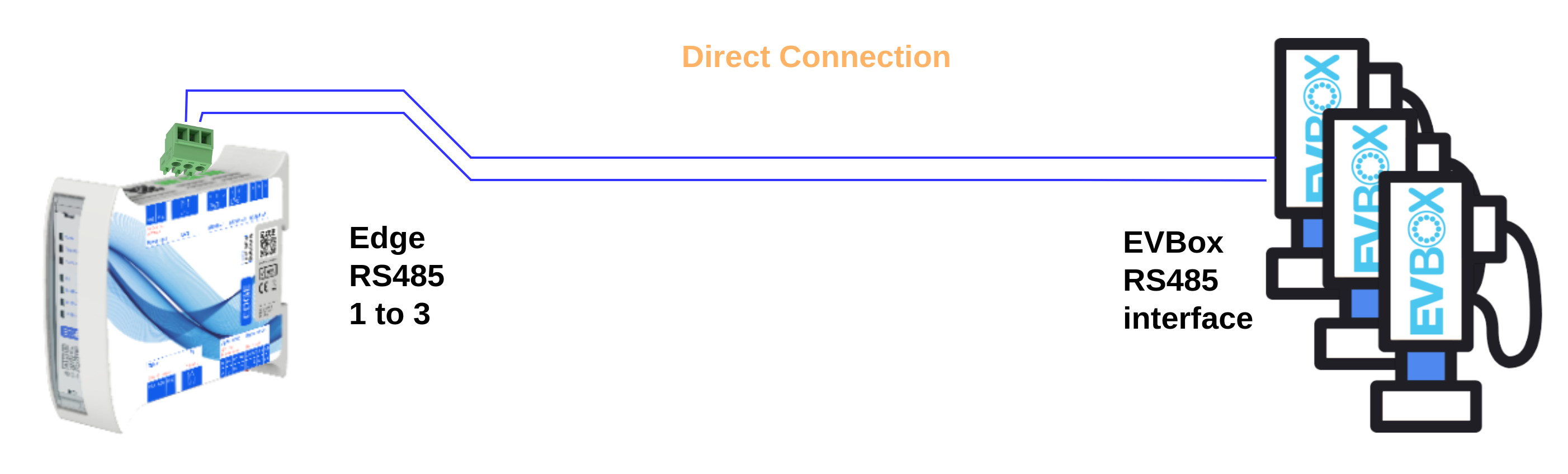
Option 2: TCP to RS485 Converter
This option uses existing network infrastructure when direct connection is impractical. It requires more configuration but offers flexibility for installations where Edge cannot be placed close to the chargepoints.
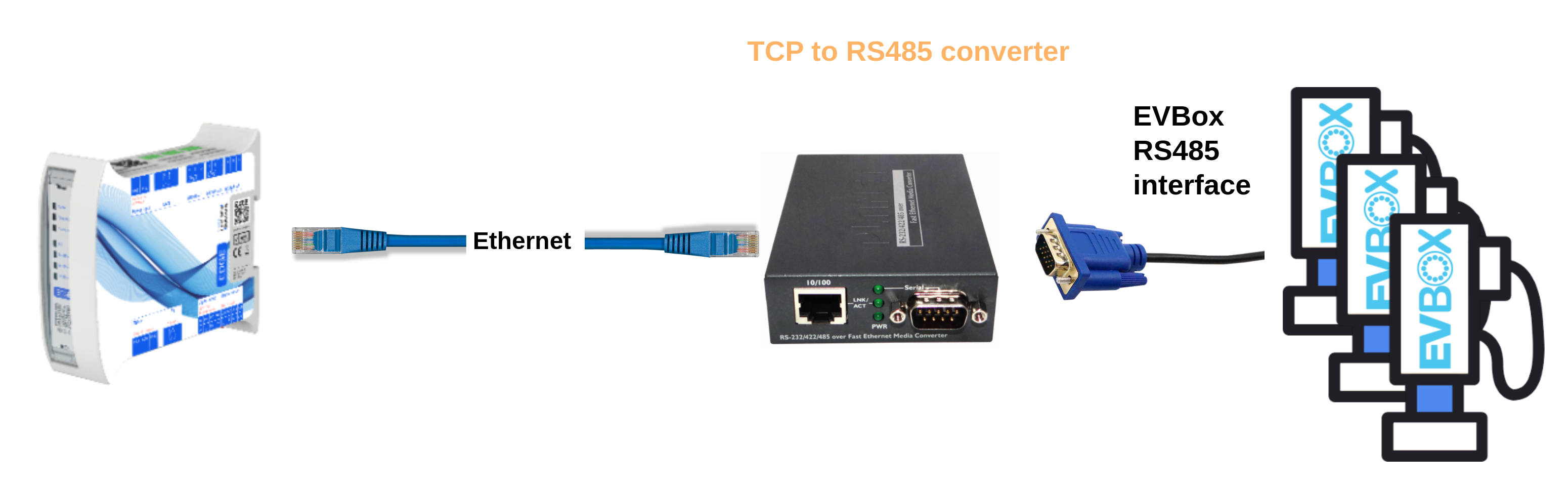
Recommended equipment: Planet ICS110 converter
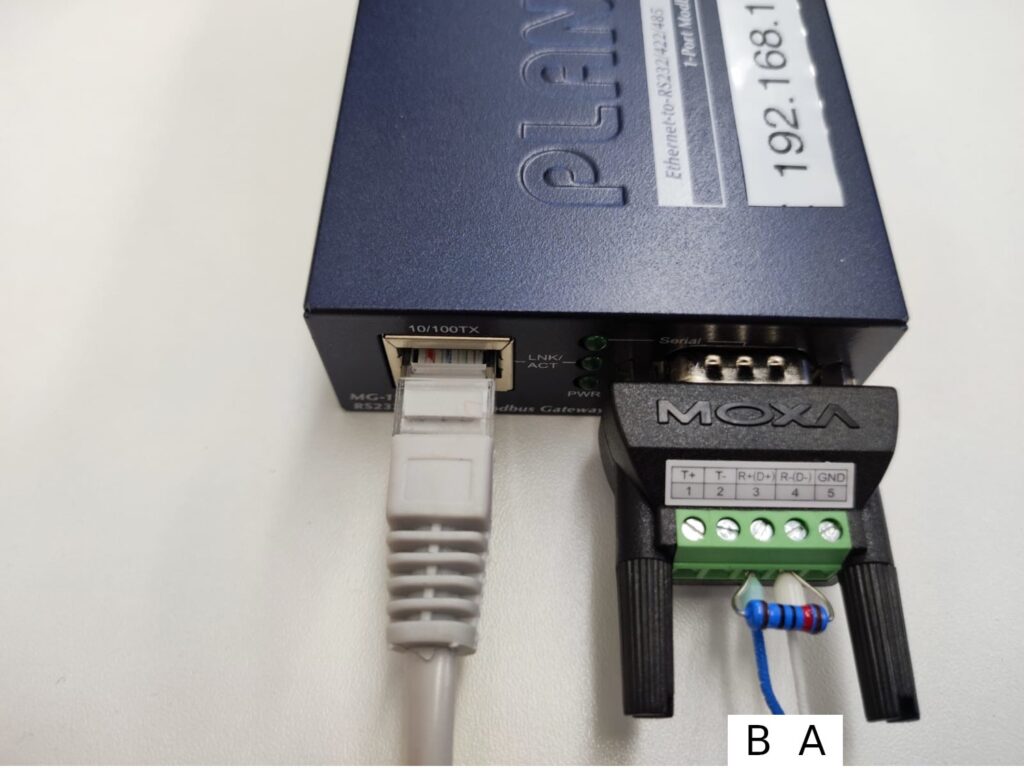
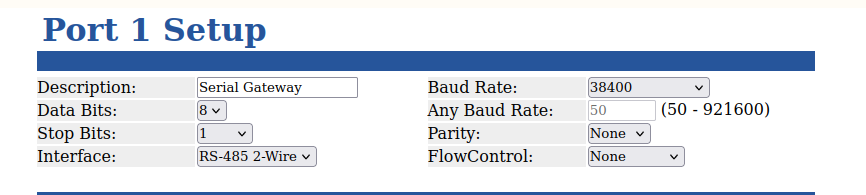
Configuration steps for the ICS110:
- Power on the ICS110
- Navigate to its web interface
- Configure the port settings as specified below
Step 2: Configuration in Edge
-
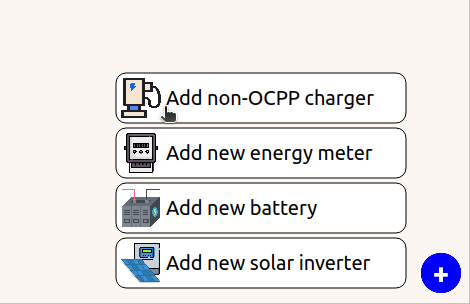
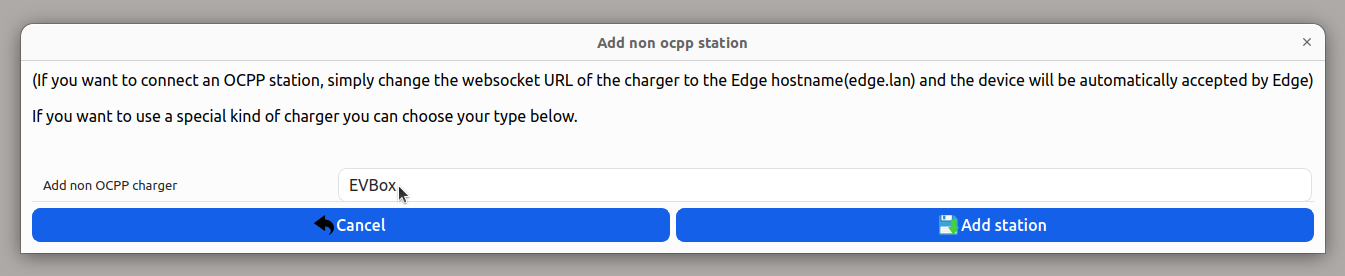
Add the chargepoint: Go to the live-view → Click the '+' button in the corner, and press "Add non-OCPP charger". Then Select the EVBox station
-
Configure the interface: Click the newly added EVBox
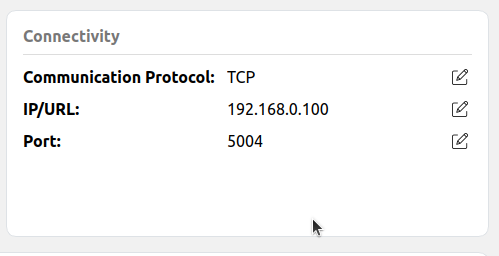
- For TCP connection: Set Communication protocol to TCP, then specify IP and Port of the gateway
-
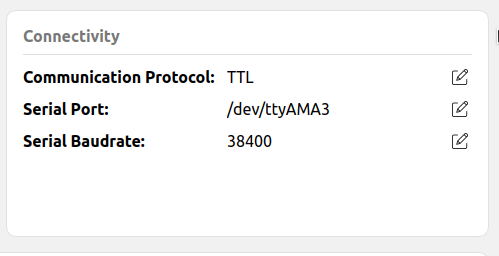
For TTL connection: Set Communication protocol to TTL, then specify Port (/dev/ttyAMA1 for Port 1 to /dev/ttyAMA3 for port 3) Keep the baudrate on 38400
-
-
Verify installation: Check the live-view for timeout icons and confirm no communication failure notifications appear
-
Configure load balancing: Set up grid configuration according to your system requirements. Read more about configuring the grid.
RS485 Connection Points by EVBox Model
EVBox BusinessLine G3
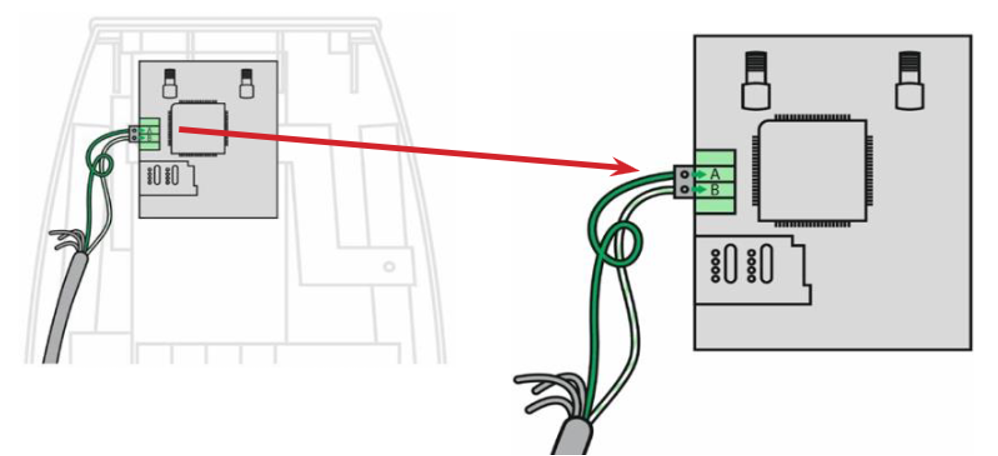
EVBox BusinessLine G4
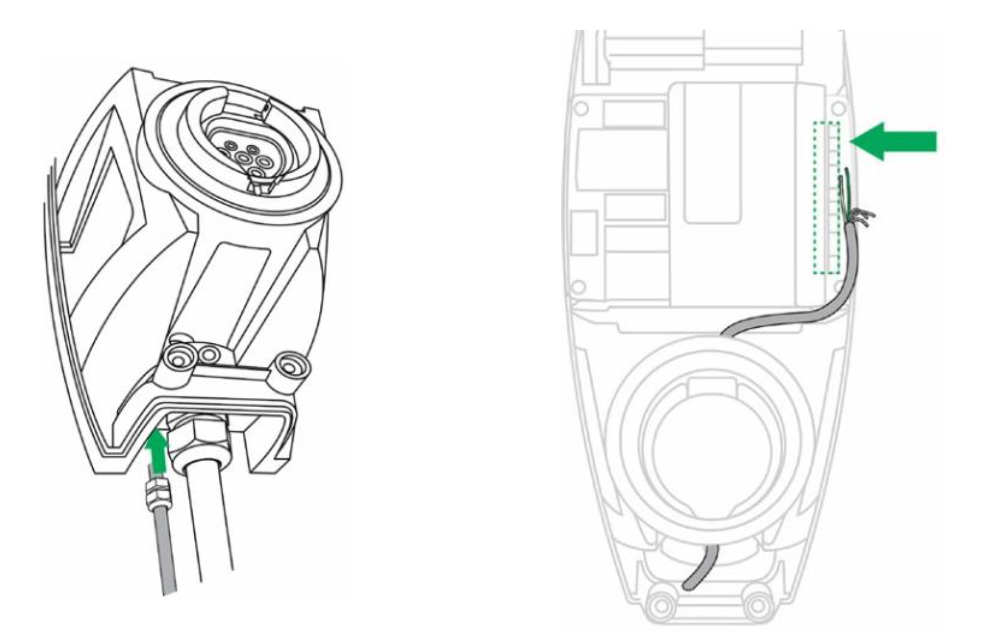
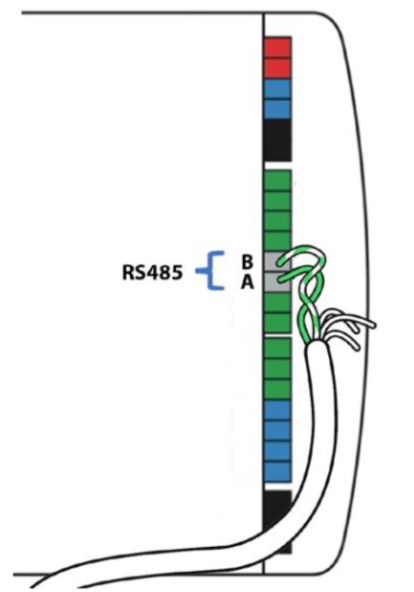
EVBox HomeLine
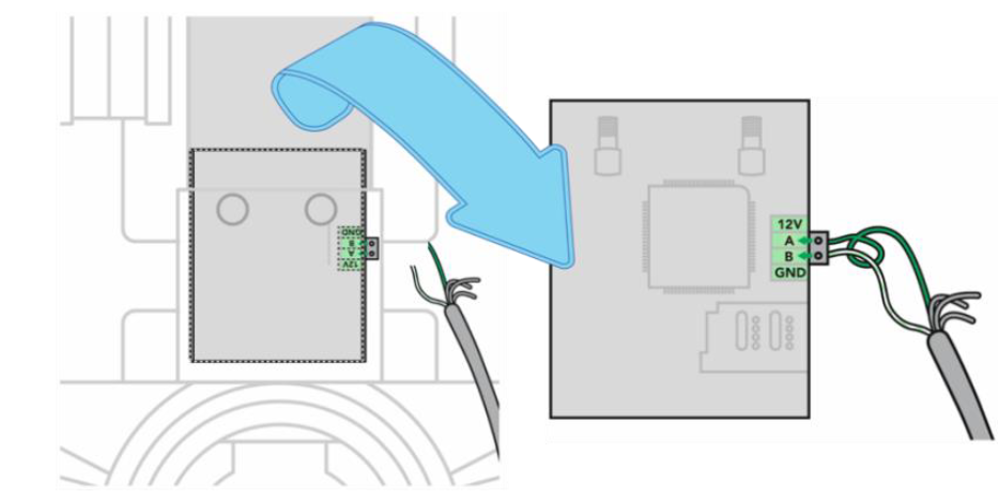
EVBox Elvi
Updated 6 months ago