
Charge Card Management & Charge Card Priority
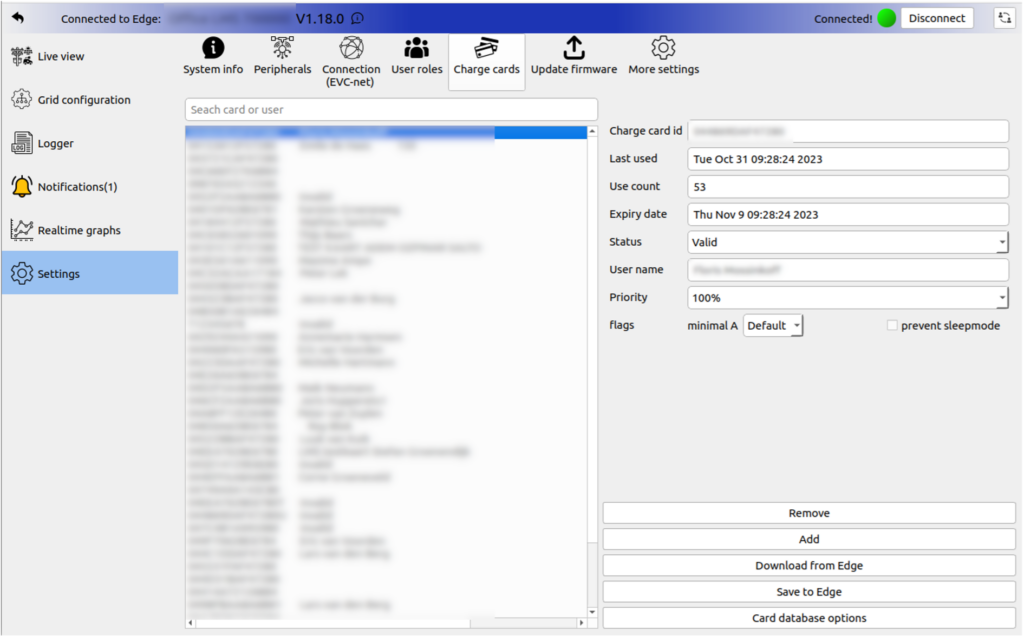
Edge manages charge card authentication by caching card information from EVC-net in its local database. This enables offline operation while allowing administrators to configure card-specific charging behaviors.
Customer Benefits
- On-site caching — The card management is caching on site. Allowing fast and offline operation
- Priority assignment — Specific cards can receive prioritized charging access
- Minimum speed flagging — Certain cards can be designated to charge at minimum speeds
How to Grant Card Priority
Step 1: Access EdgeManager
Open EdgeManager and navigate to Settings > Charge cards to view all cards currently in use, including usage counts and last-used timestamps.
Step 2: Identify the Card
Locate the target card's RFID UID using one of these methods:
- Search on EVC-net platform
- Extract from chargepoint logs or transaction data
- Scan with NFC reader applications
Step 3: Configure Priority
- Click the card in EdgeManager's Charge card overview
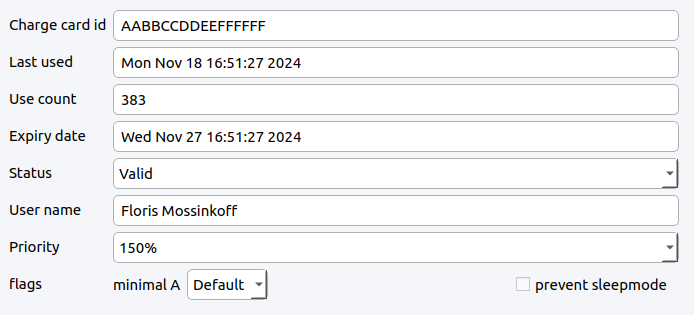
- Modify the Priority value
- Select "Save to Edge"
Priority Impact
Setting a card to 200% priority means the load balancer will try to give the session activated with this charge card 2 times as much current as other sessions.
Updated 7 months ago
Did this page help you?