
Backups
The backup functionality has 2 main purposes:
- Change configuration and restore the original state when needed.
- Quickly restoring an installation after hardware failure.
Backups can only be made when there are no running transactions on the chargepoints. Those transactions must be stopped first before a backup can be made. This is to ensure that customers will not be billed twice.
Creating Backups
To support both purposes, backups are created in two ways.
Automatic Periodic Backups
Every 24 hours Edge will automatically create a backup of the current configuration. When transactions are running on the chargepoints at that moment Edge will postpone the backup until the chargepoints are finished. The front-end will show how old the most recent backup is in the top right corner.
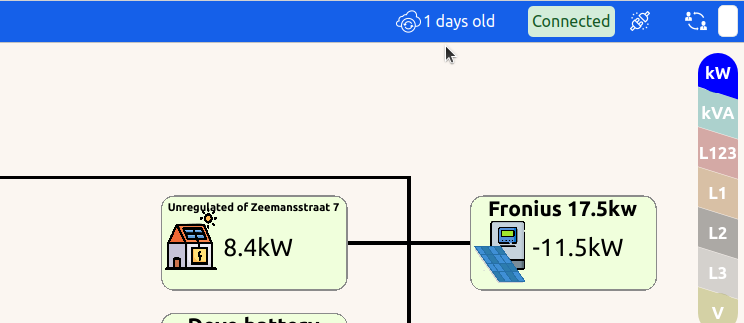
When this backup-button is clicked a list of all available backups will be shown.
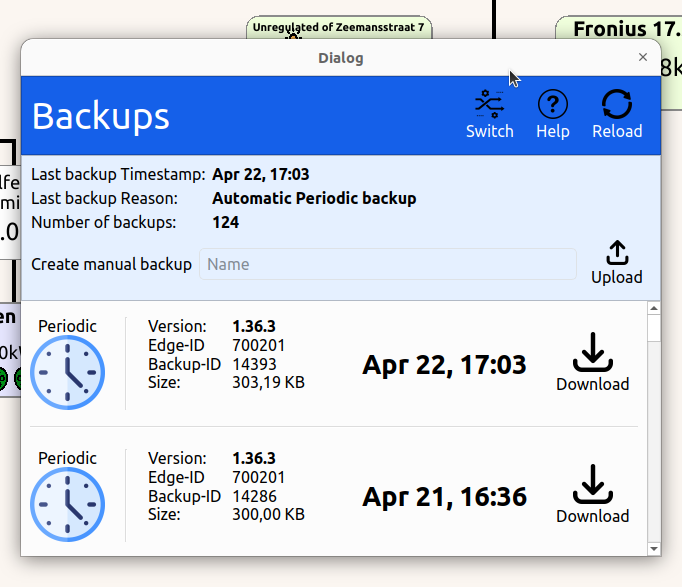
Manual Backups
It is advised to make a manual backup after the initial installation has been done. Also before changing any configuration make sure a recent backup has been made so restoring to the original state remains an option.
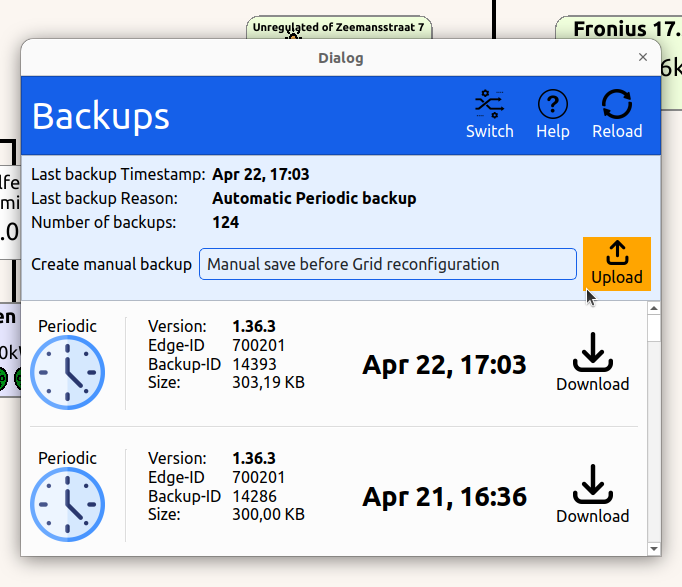
Create a manual backup by specifying a backup-name and pressing the upload-button.
Restoring Backups
Restoring to an Earlier State
Restoring your Edge to an earlier state is as simple as pressing the "Download" button on a backup-entry. Note that all running transactions must be stopped first before a backup is restored.
Restore in Case of Hardware Failure
When the physical Edge device fails and has to be replaced your new Edge device will have a new ID, and thus have its own backups.
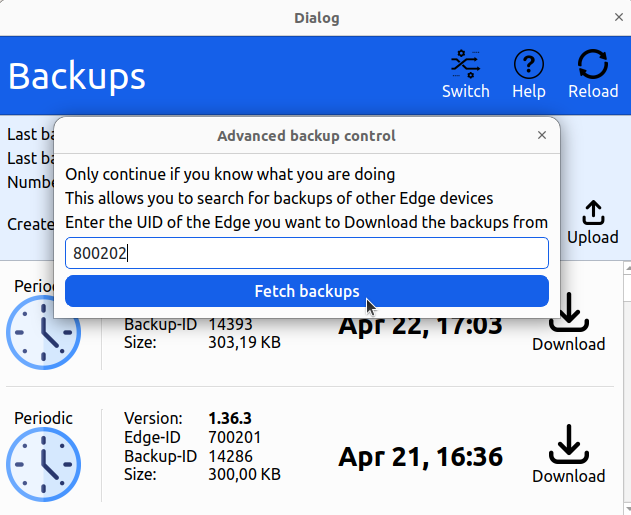
To restore the configuration of the old Edge, press the "Switch" button in the top-right corner of the backup window.
When pressed the following window will show up. Here you can enter the ID of the decomissioned Edge device. The backups of this Edge will be listed here which can then be downloaded.

Deleting Backups
Backups cannot be manually deleted. Automatic backups will be automatically deleted on the server once they are 6 months old.
Manual backups have no expiration date. However if more than 10 manual backups are made, the oldest one is automatically deleted.
Updated about 2 months ago