
Advanced Charging Station Configuration
Manual Station Limits
Access configuration via the Grid configuration tab, select a chargepoint and navigate to the EV station config tab.
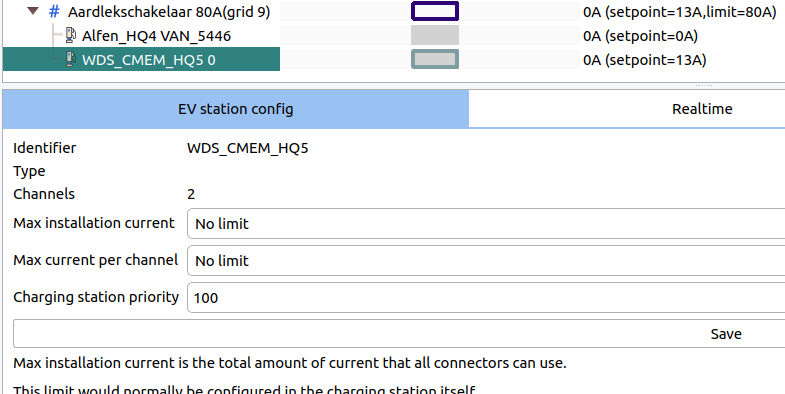
Max installation current represents the total amount of current that all connectors can use. This helps the loadbalancer understand the station's capacity. It is recommended to keep it at "No limit" during normal operations.
Max current per channel typically doesn't require adjustment since it is normally configured in the station's chargepoint settings.
Deleting a Chargepoint
Click the station in live-view, then select "Settings → Advanced → Delete device."
OCPP/Device Settings
Settings can be modified in either EVC-net or Edge. Access them by clicking the station and navigating to "Station settings → Device settings."
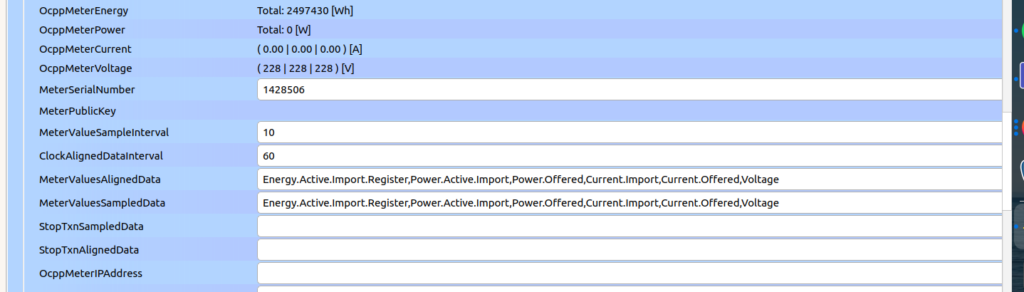
Edge actively manages certain OCPP settings including HeartbeatInterval, MeterValueSampleInterval, and MeterValuesSampledData. Edge might overwrite these after reconnection if they are mismatched with loadbalancing requirements.
Updated 14 days ago